
Appaca vs Cursor
Is Cursor a powerful editor for your developers but out of reach for everyone else? Try Appaca, the AI tool builder that works for the whole team - no coding required.

Why Appaca
Why operations teams are choosing Appaca over Cursor
Cursor has its place. But for teams who want to move fast without a developer or per-seat pricing, Appaca is built differently.
No code editor to open
Cursor is a tool for people who write code. Appaca is a tool for people who need working software - describe what you need and the app is ready to use.
Hosting and database included
Cursor generates code that then needs to be deployed somewhere, with a database configured separately. Appaca includes hosting, database, and team access inside the platform.
Built for teams, not individual developers
Cursor is a per-developer productivity tool. Appaca is a team workspace - your tool is shared with your colleagues from the moment it is created.
Platform
Appaca gives your operations team the power to work better
Cursor solves one piece of the puzzle. Appaca is an AI workspace that gives your team apps, AI co-workers, and a shared knowledge base - all in one place, with no code and no infrastructure.
Build apps with AI
Describe the tool your team needs and Appaca builds it - with a built-in database, team access, and no coding required. What takes days in Cursor takes minutes here.




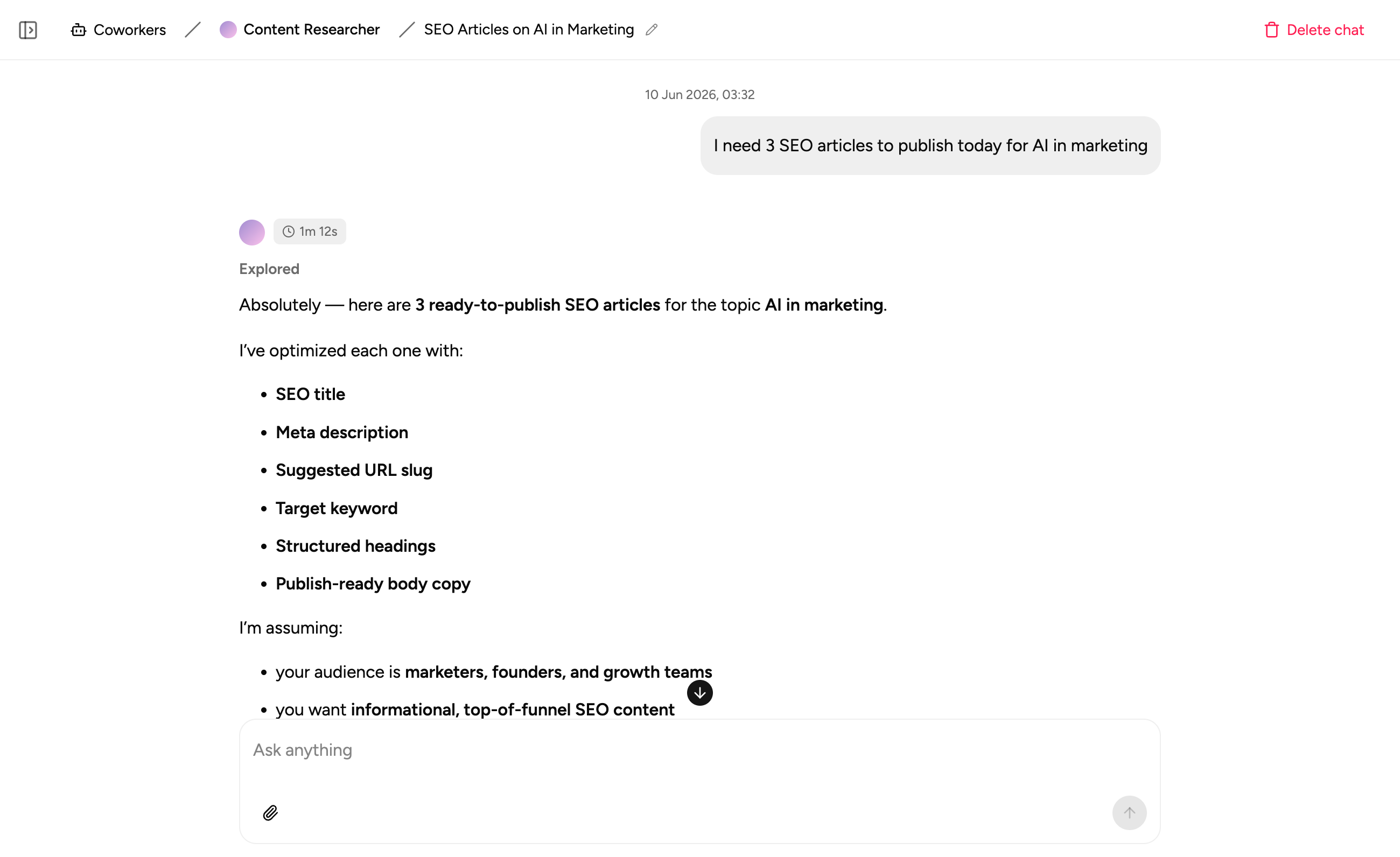
AI co-workers that know your business
Create specialised AI agents that answer questions, run workflows, and assist your team 24/7 - trained on your own data and processes.
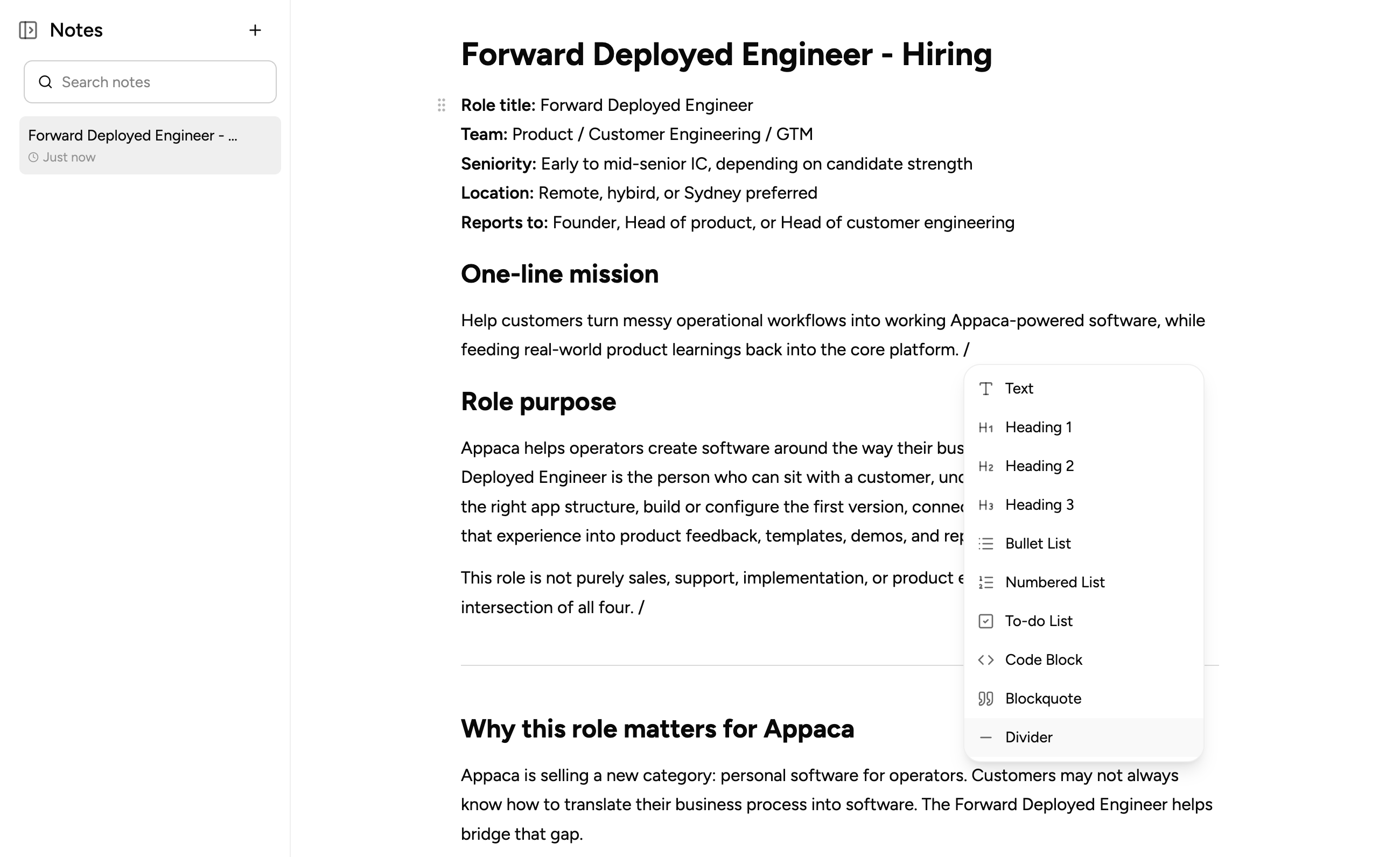
Keep everything in one workspace
Write notes, document processes, and capture context right where your team works. No more switching between tools to find what you need.
Comparison
See how Appaca compares to Cursor
Deciding whether to switch to Appaca? With Appaca, you get a complete AI workspace that adapts to how your team works.
| Feature | Appaca | Cursor |
|---|---|---|
| Primary approach | Describe in plain English, app is generated | AI-assisted code writing inside a VS Code editor |
| Target user | Business operators, any team member | Professional software developers |
| Coding required | No | Yes |
| Built-in database | Yes | No |
| Built-in hosting | Yes | No |
| AI-powered creation | Yes | Yes |
| Internal tools focus | Yes | No |
| Team collaboration on tools | Yes | No |
| Deployment required | No | Yes |
| Pricing model | Flat usage-based | $20/mo (Pro), $40/user/mo (Teams) |
The bottom line
Appaca is exactly what your team needs
Not just a feature list - here's the real reason teams leave Cursor behind.
01
No code editor to open - describe the tool and it is generated and ready
02
Hosting, database, and team access built in - no separate deployment process
03
Your tool is shared with colleagues the moment it is created - a team workspace, not a dev tool
04
Built for operators who need the outcome, not developers who want to write the code
FAQ
Common questions
What is the difference between Appaca and Cursor?
Cursor is an AI-powered code editor that makes professional developers more productive. Appaca is an AI workspace that builds working internal tools for business operators - no code editor, no coding, no deployment.
Is Appaca similar to Cursor for non-developers?
They serve completely different users. Cursor is for professional developers who write code daily. Appaca is for business operators who need working tools - not a coding environment.
Can Appaca build internal tools without opening an IDE?
Yes. Appaca runs entirely in a browser. You describe the tool you need and it is generated with a built-in database and team access - no VS Code, no terminal, no deployment pipeline.
Is Appaca a good Cursor alternative for business teams who need tools, not code?
Yes. If your goal is a working internal tool that your team uses - not code that a developer iterates on - Appaca is the right choice. Cursor generates code; Appaca generates working applications.
See how Appaca compares to other tools
No-Code
Appaca vs Glide
Build powerful apps from spreadsheets
No-Code
Appaca vs Bubble
Build without limits
Internal Tools
Appaca vs Appsmith
Build internal tools faster
Productivity
Appaca vs Airtable
Build future-proof applications at scale
Productivity
Appaca vs Notion
The connected workspace where better work happens
Automation
Appaca vs Zapier
Automate your work across 8,000+ apps
Productivity
Appaca vs Monday
The work platform to run every team
AI Builder
Appaca vs Floot
Turn your ideas into products without coding
Ready to replace Cursor?
Describe the tool your team needs and Appaca builds it - with a built-in database, team access, and no code required.