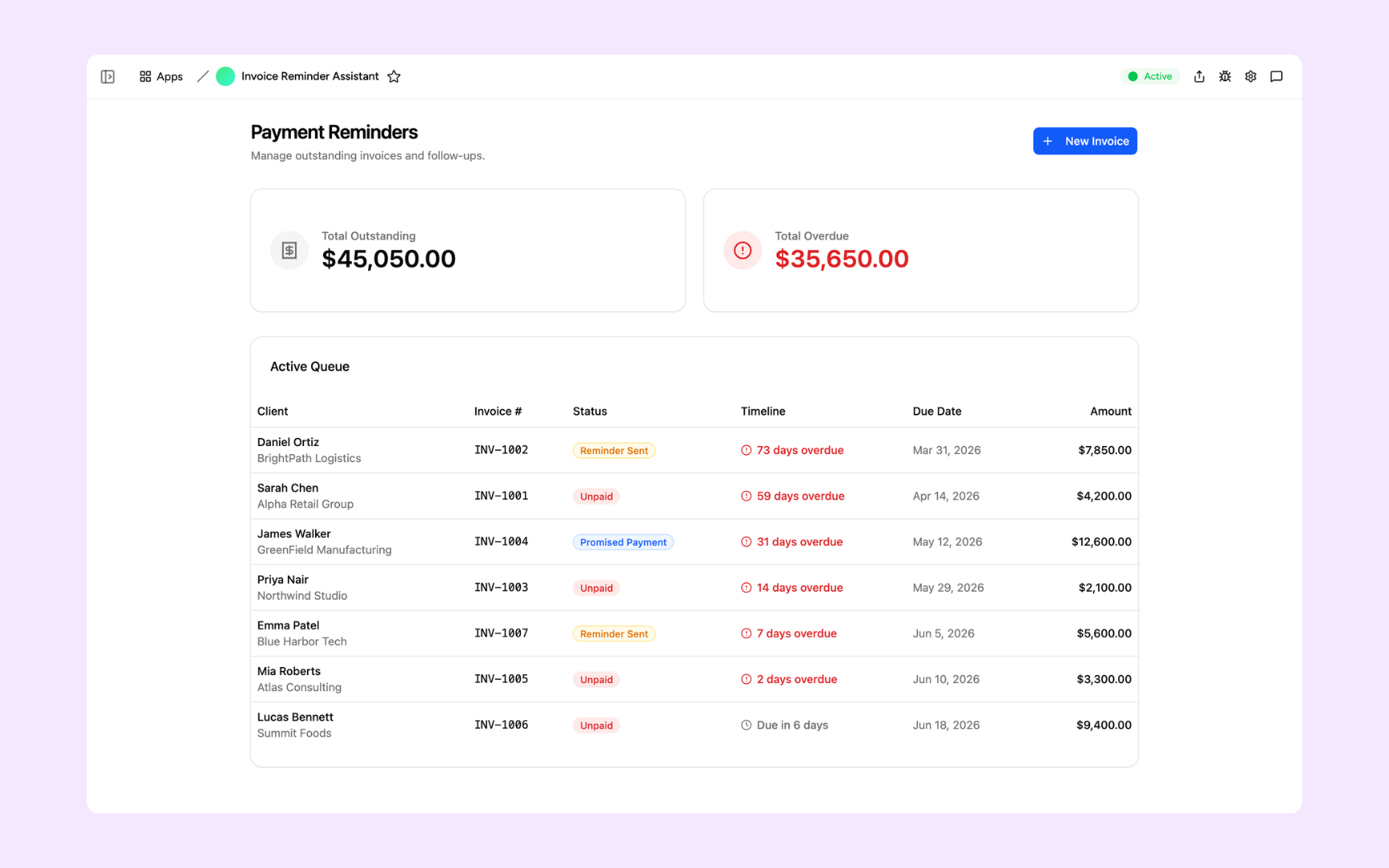
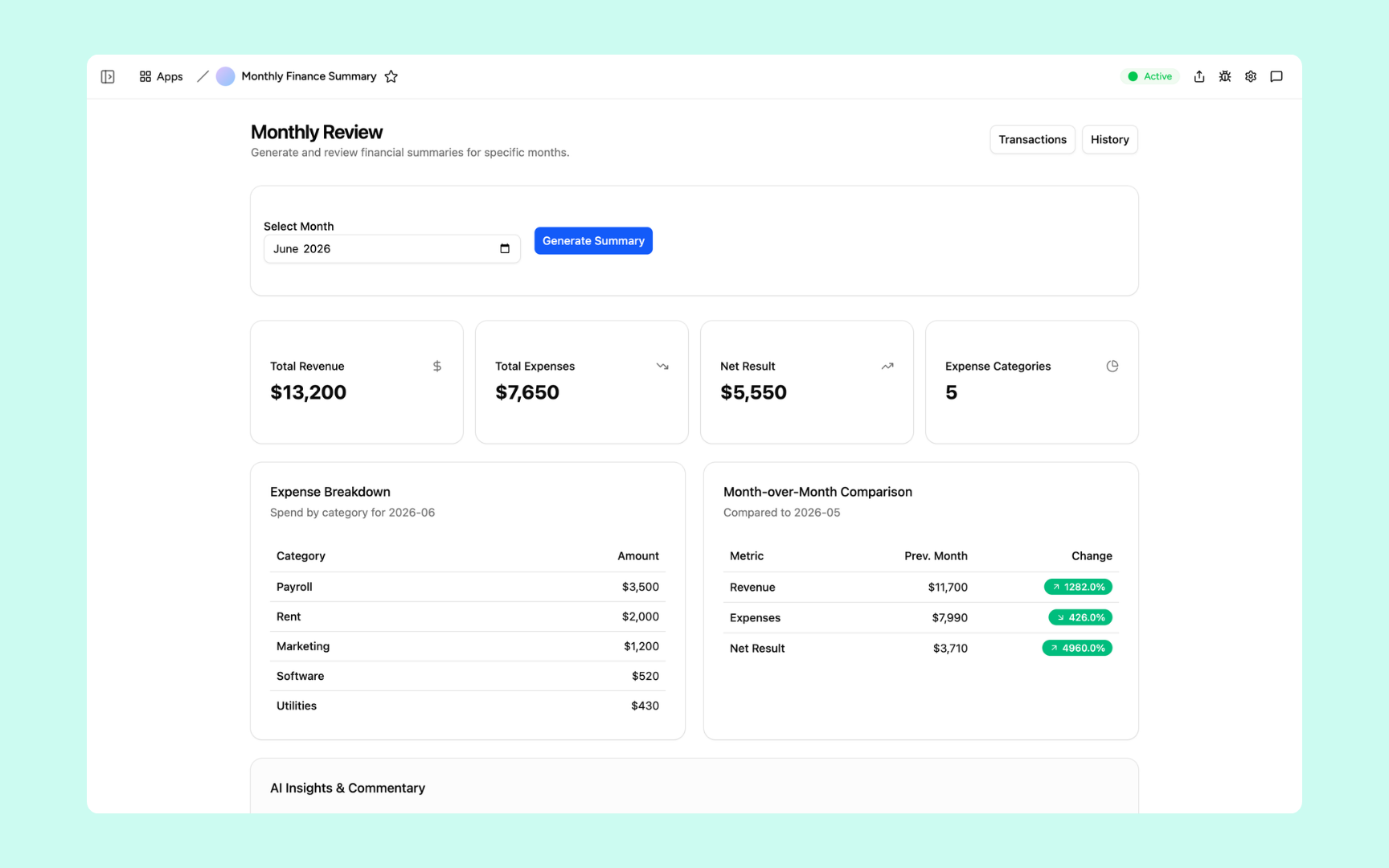
Start with readable records
Share a structured export or readable PDF, DOCX, spreadsheet, or text file in conversation. Add the purchase orders you want to compare.
Ask Appaca to organise invoice records, compare them with supplied purchase orders, and prepare exceptions for your finance team to review.
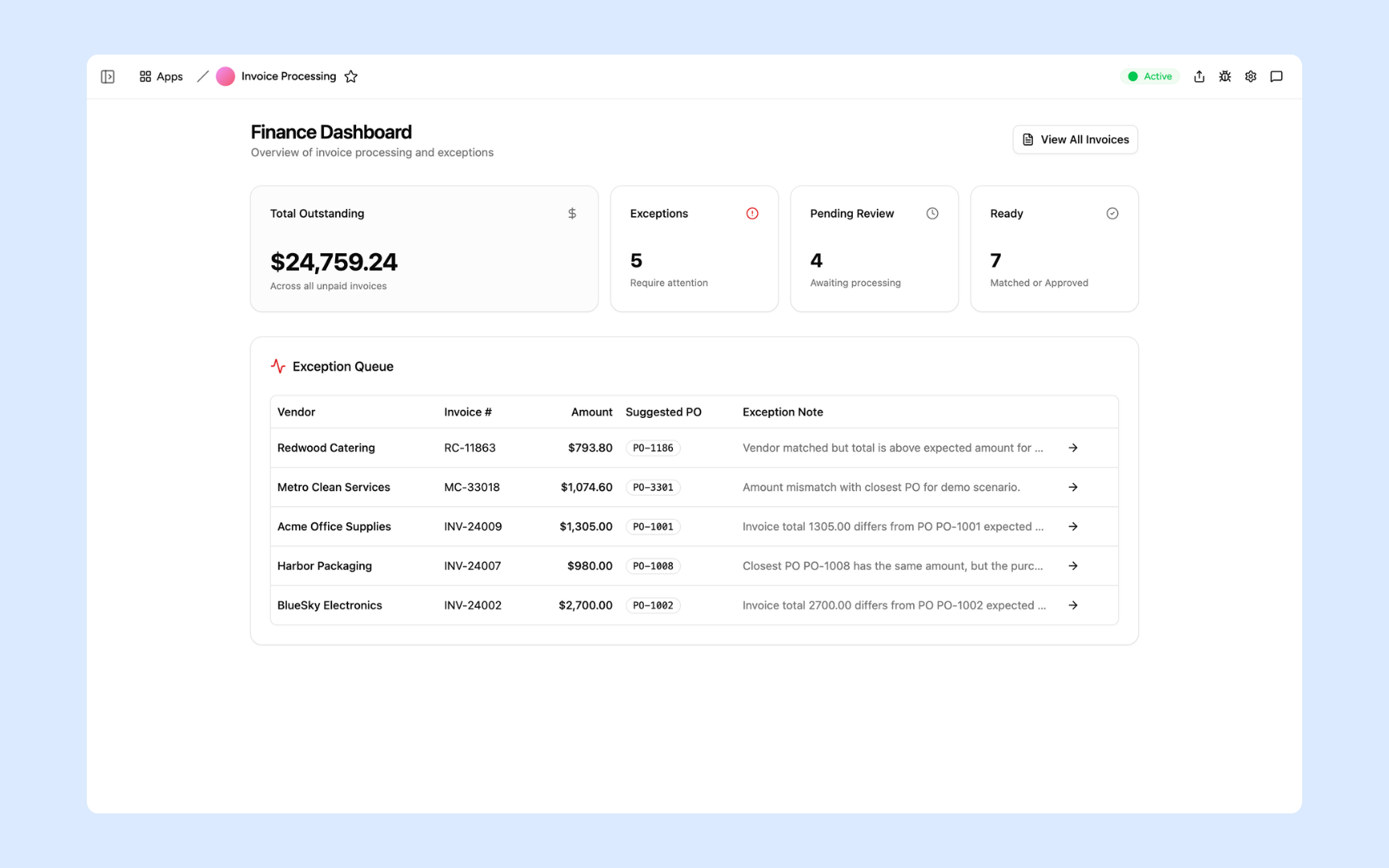
Share a structured export or readable PDF, DOCX, spreadsheet, or text file in conversation. Add the purchase orders you want to compare.
Define which amounts, references, and line items should match. Ask Appaca to list differences and missing information.
Confirm the details and save owners, due dates, notes, and review states in shared records.
When the work needs a lasting home, ask Appaca to create a focused app around the records and steps your team uses.
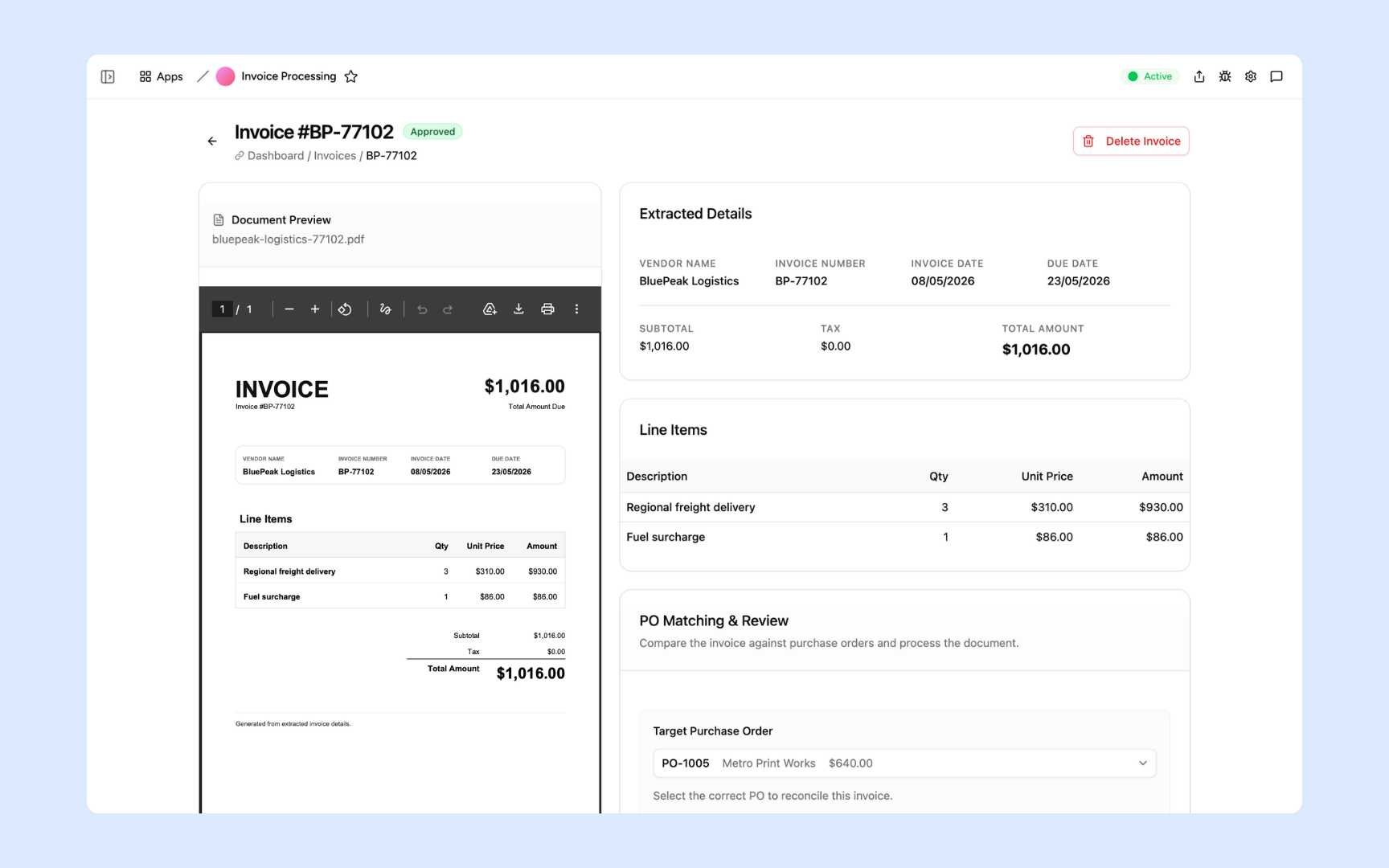
Keep invoice details and comparison notes together. Verify extracted text, amounts, tax, and purchase-order references before relying on them.
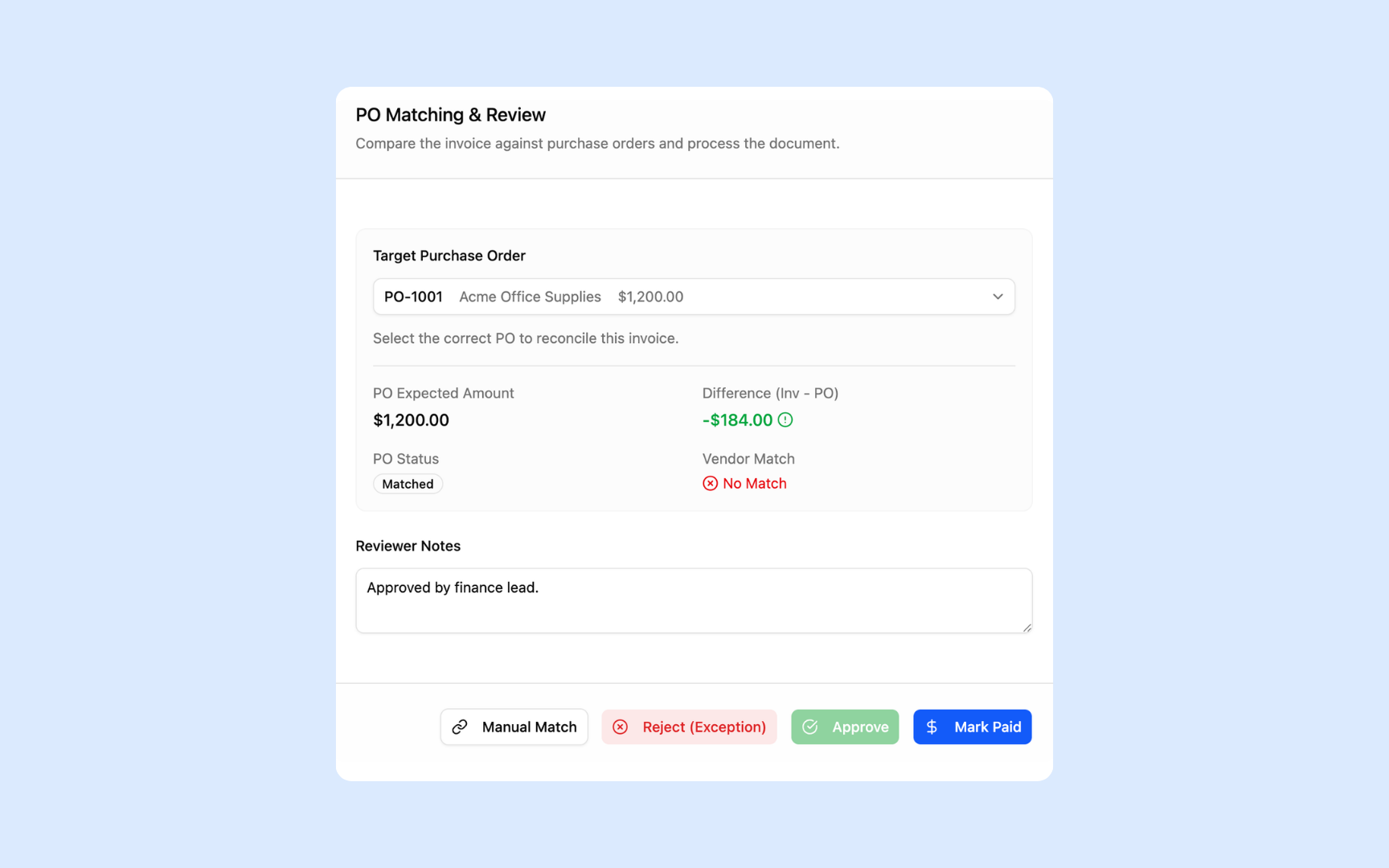
Correct the record, add a note, and update its status. Keep payment execution in your finance process.
Ask for a focused invoice tracker that groups the records by review state and keeps exceptions easy to find.
Give Appaca the details that make this work yours.
Organise these invoice records for review. Compare invoice references, amounts, and line items with the supplied purchase orders using the rules I provide. List exceptions and missing data, then save a shared review queue. Leave payment decisions with our finance team.Start this task
Get a useful first result, then give recurring work a place in your workspace.
Create an invoice register for reviewed details and open exceptions. If you need app-level uploads and extraction, ask for that ingestion flow explicitly and test it with your documents.
Get startedCheck the saved register each morning for invoices approaching their due date or awaiting review. Configure and authorise any notification destination.
Get startedThe inputs, setup, and follow-through for this workflow.
The supported document-reading path uses readable text. Scanned or image-only PDFs and invoice photos need text extraction outside this workflow. Review the resulting text before using it.
This workflow organises review and records its outcome. Payment approval, accounting reconciliation, and payment execution remain in your established finance process. Comparisons require supplied purchase orders and explicit rules.
Start by describing the work and providing the relevant context. Appaca can help in conversation. When your team needs to manage the results over time, ask for shared records and a focused internal app. You can describe the app and changes in plain language.
Share supported files and company documents, or use the actions available in connected services. Specify the source and how it should be updated. Custom integrations need separate configuration and testing; a connection alone does not create continuous synchronisation.
Check the saved register each morning for invoices approaching their due date or awaiting review. Configure and authorise any notification destination. Routines run on a schedule, with a minimum recurring interval of one hour. External sends, writes, and app-function actions need authorisation when the routine is configured.
Start with one task and the context that matters. Make Appaca part of the way your team works.