
Build a custom admin panel with AI
Stop using the admin view your database happened to generate. Appaca builds an admin panel shaped around how your team manages data, access, and operations, without writing a single query.
What generic admin panels get wrong
Most admin panels give you a CRUD view of your database. That is not the same thing as an admin tool your operations team can actually use.
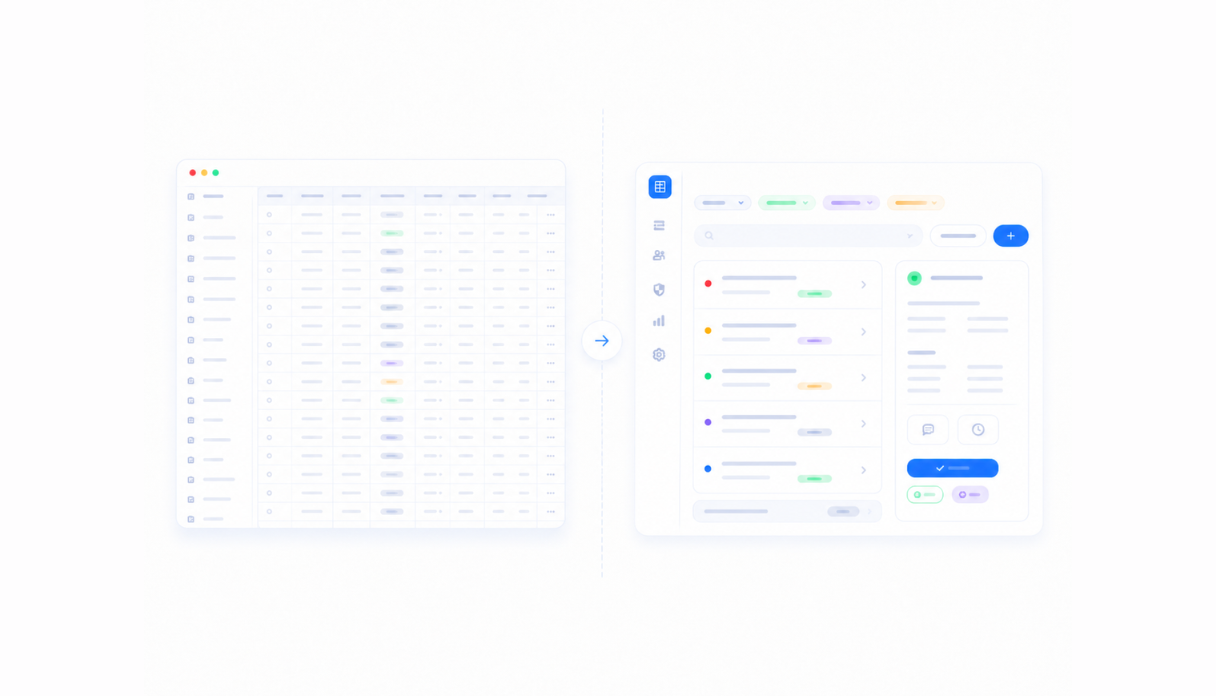
Raw database views, not operational tools
Auto-generated admin panels show every table, every field, and every record. Your operations team needs filtered views, contextual actions, and the right information for the job, not a raw database interface.
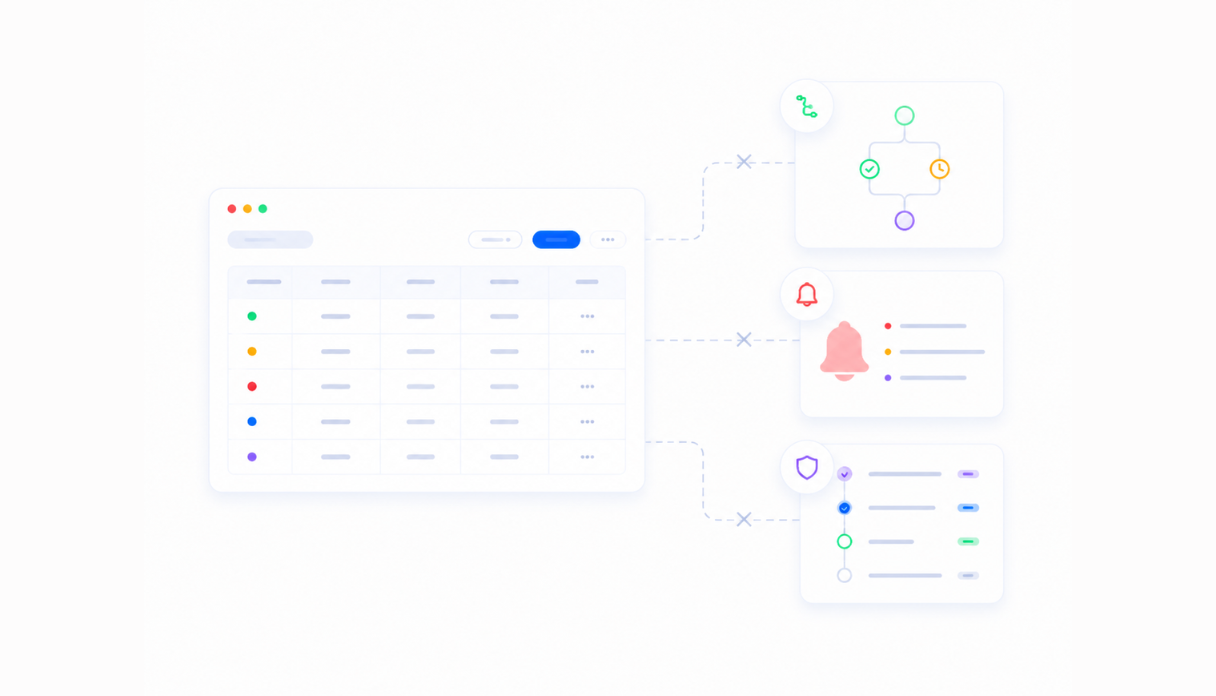
No workflow logic built in
A table you can CRUD is not the same as a tool that routes requests, triggers alerts, and logs every action for an audit trail. Admin panels built on database views have none of that without custom code.
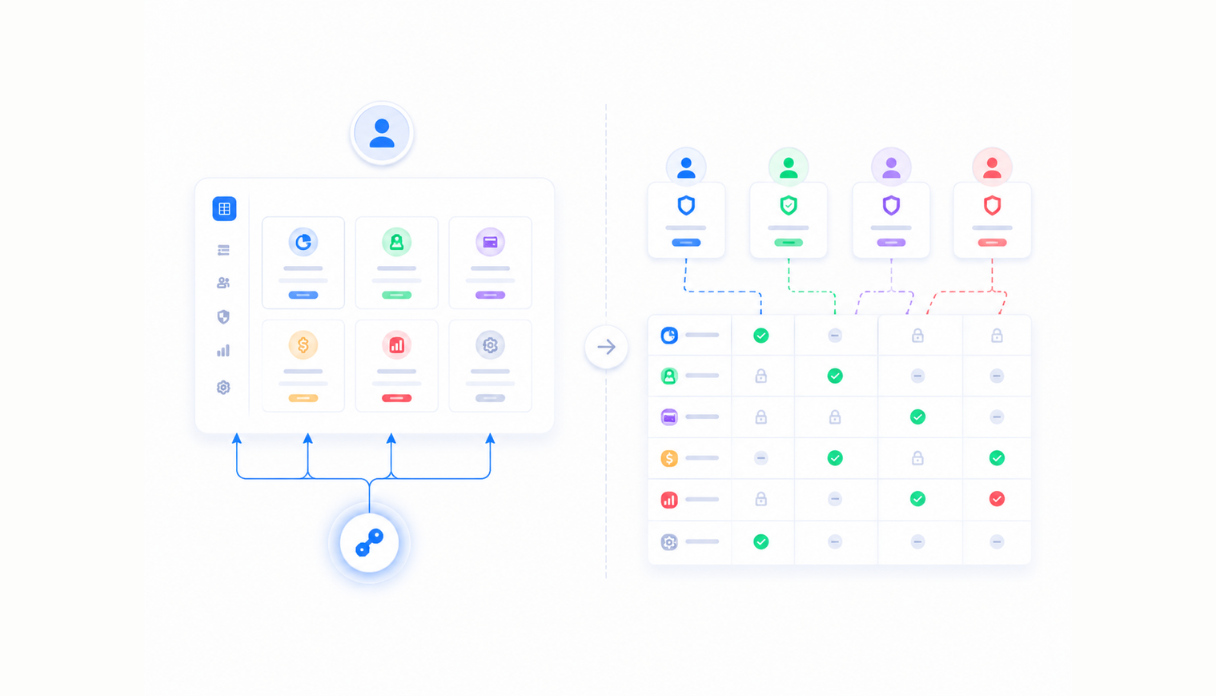
Access controls that do not match your roles
Giving someone access to the admin panel usually means giving them access to everything in it. Proper role-based controls that match your team structure are often missing, forcing everyone into the same view and the same level of access.
An admin panel built around your operations
Appaca builds the admin panel your operations team actually needs, with the right views, permissions, and workflows baked in from the start.
Build the admin views your team needs
Describe the data you manage and how your team works with it. The Appaca agent builds tables, search views, detail pages, and edit forms around your specific workflow. No SQL, no code.




AI agents for admin operations
Add AI agents that classify records, flag issues, and handle repetitive admin tasks automatically so your team focuses on decisions, not data entry.
Runbooks and procedures alongside your panel
Store runbooks, escalation guides, and admin procedures right inside the workspace. Your team always knows what to do when something needs attention.
What teams build with Appaca as their admin layer
From access management to vendor oversight to IT operations. Appaca builds the admin tools your back-office team needs to manage operations without a raw database view.
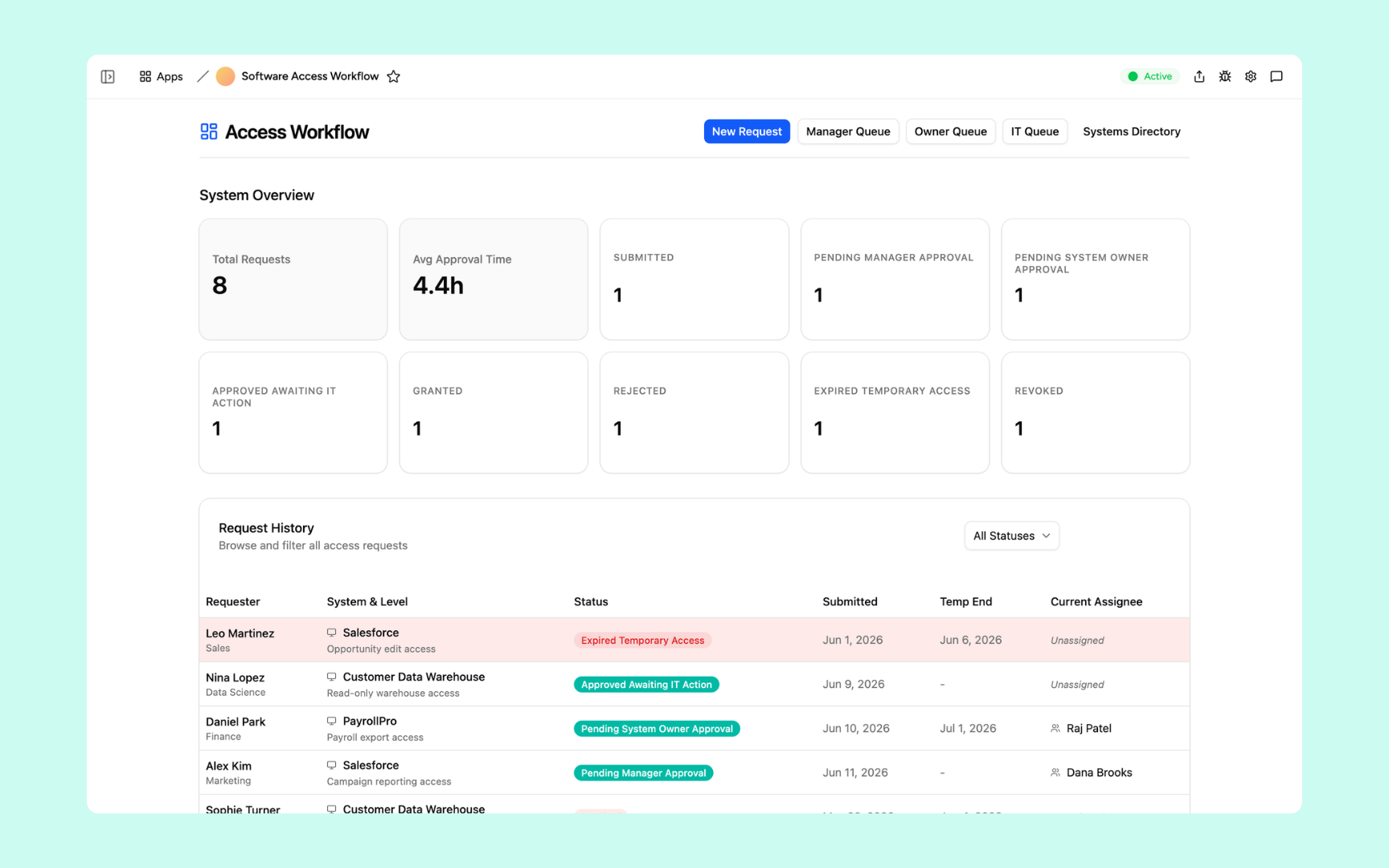
Access Request Workflow
Replace your access request email chain with a proper admin tool. Requests route to the right approver automatically, decisions are logged, and access is granted or revoked without manual steps.
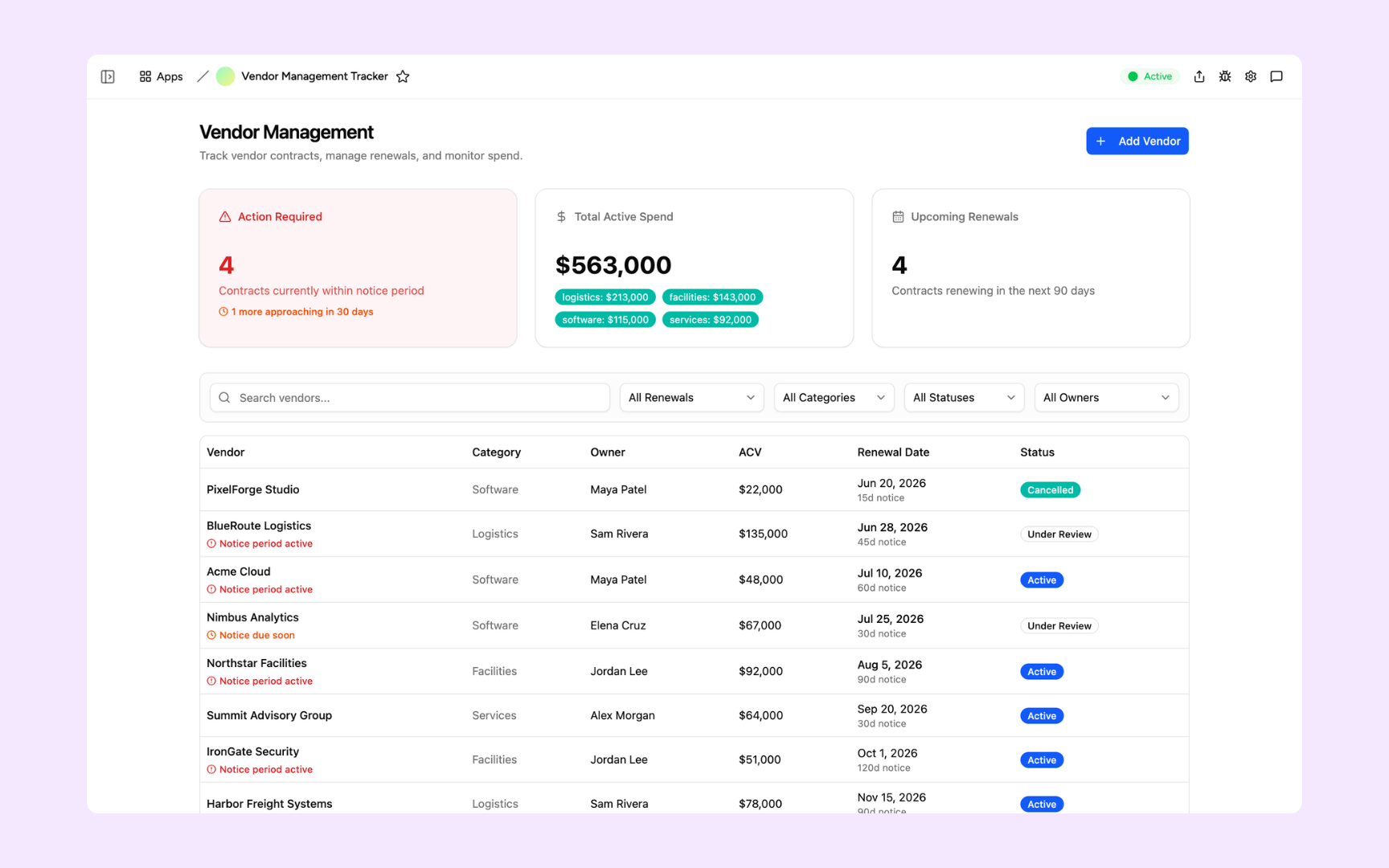
Vendor Tracker
An admin panel for your vendor and contract data. Track suppliers, renewal dates, and performance with proper views, access controls, and automated alerts for your operations team.
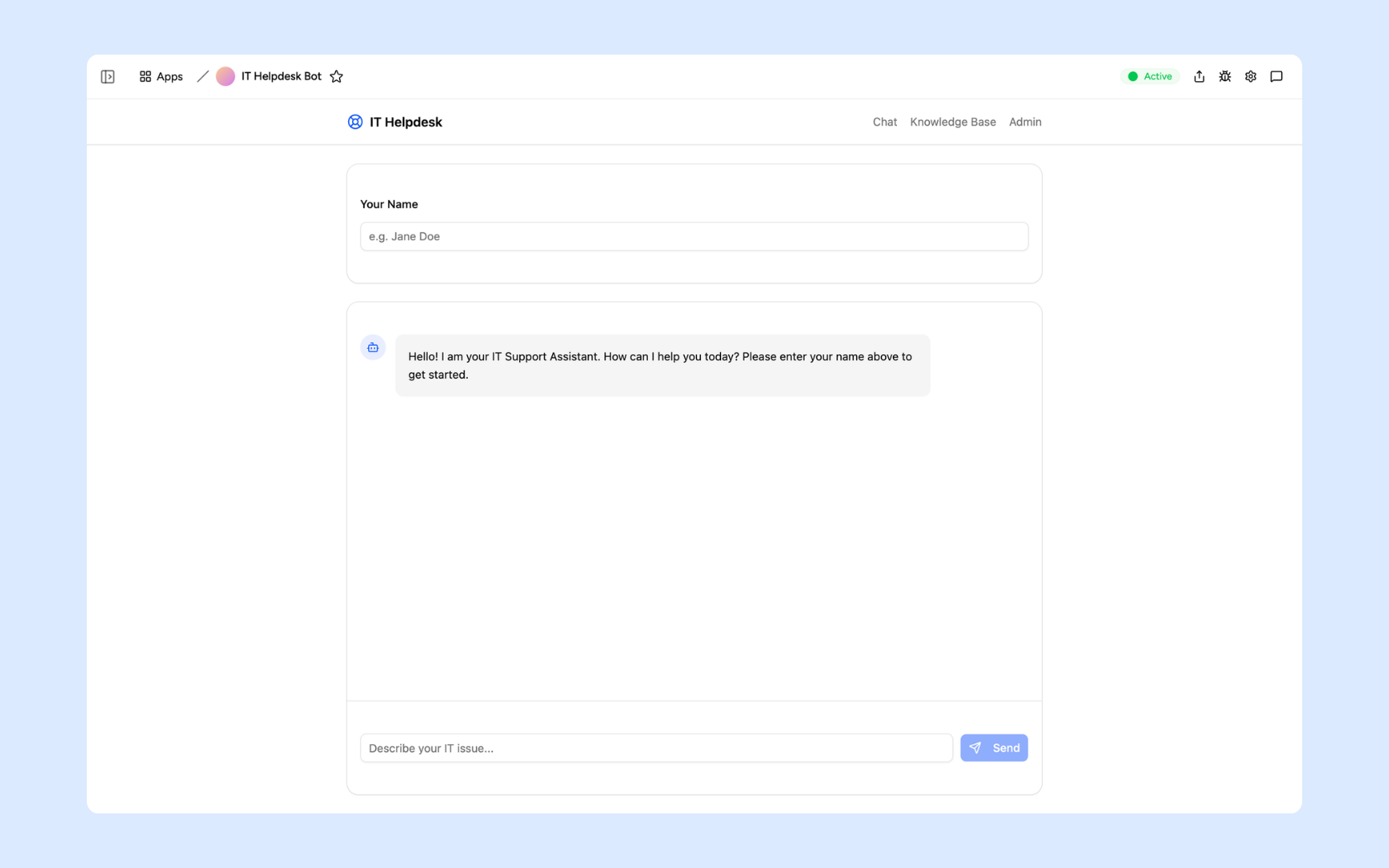
IT Helpdesk Bot
An AI-powered admin tool that handles first-line IT queries, classifies tickets, and routes complex issues to the right engineer without manual triage.
Every admin panel built on a platform your team can trust
Authentication, permissions, database, automations, and audit trails are all built in. Build the admin panel, not the infrastructure it needs to run on.
Secure team sign-in
Every admin user signs in with their own account. Your operational data is only visible to the roles you authorise.
Role-based permissions
Control who can view, edit, or manage each part of your admin panel. Sensitive data is only visible to the roles that need to see it.
Scheduler and automations
Trigger actions when records change, send alerts to Slack, and schedule recurring admin tasks. All the workflows your admin operations need, built in.
Secure built-in database
Your operational data lives in a secure built-in database. Structured, searchable, and always up to date without a separate database setup.
Enterprise-grade security
Your admin data is encrypted, protected, and under your control. Every action is logged and your team's data never leaves your workspace.
Admin access from anywhere
Your admin panel lives in the browser. Your team can manage operations from the office, home, or on the road without installs or VPN.
File and document storage
Attach policy documents, evidence files, and supporting materials to the records they belong to inside your admin panel.
Usage tracking
See which parts of your admin panel your team actually uses and how often so you know what is driving operations and where to improve.
Explore more ways to build with Appaca
See related use cases, solutions by team, and how Appaca compares to other tools.
FAQs
An admin panel is an internal tool used by your team to manage backend operations: user records, data, requests, and operational tasks. Rather than exposing a raw database view, a well-built admin panel shows only what your team needs with the right permissions and workflows for each role.
Forest Admin and Retool require technical configuration, database connections, and often engineering involvement. Appaca lets non-technical team members describe the admin panel they need in plain language and builds it with the right views, permissions, and automations without SQL or code.
Yes. Appaca supports role-based permissions, so you decide which team members can view, edit, or manage each part of the admin panel. Sensitive data is only visible to the roles you authorise.
No. Every Appaca workspace includes a built-in secure database. Your admin panel connects to it directly. You can also pull in data from external systems via API.
Most teams have a working admin panel the same day. Describe the data you manage and the Appaca agent builds the initial views and forms. You refine from there.
User management panels, access request portals, vendor and contract admin tools, IT operations dashboards, content moderation tools, and any other admin interface your team uses to manage data and operations internally.
Build the admin panel your operations team actually needs
Get the views, role-based access, and workflow logic that fit the way your team manages data.
- 7-day trial
- No credit card
- Cancel anytime