
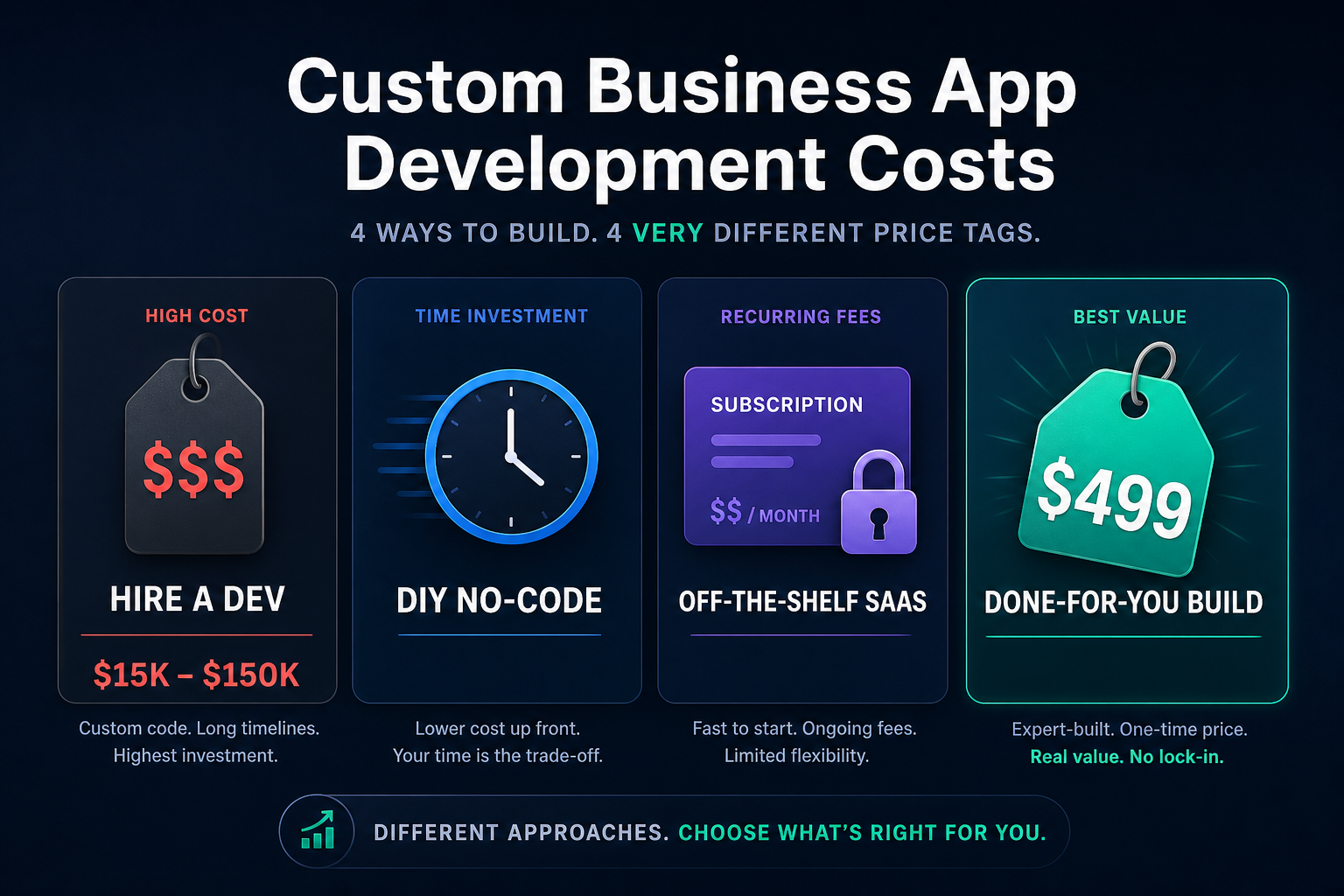
A custom internal business app can cost almost nothing in new software, a monthly platform fee, or a large development budget. The useful answer depends on the process, not the word “app.”
A one-team approval tracker is not the same project as a regulated system connected to six databases. A simple CRM used by five people is not the same as a public customer product.
This guide gives you a transparent way to estimate the cost of an internal app across four routes:
- Buy an off-the-shelf SaaS product
- Build it with a no-code platform
- Build it in an AI operations workspace
- Hire a developer or agency
Appaca is designed for internal operational tools. It is not a platform for building customer-facing software products.
Quick Cost Model
Compare total cost over the same period, usually one or three years.
Use this formula:
Total cost = setup cost + software cost + internal build time + training time + maintenance time + migration cost + expected error cost
The last three items are often ignored. They are also where a cheap tool can become expensive.
For every option, estimate:
- Setup: discovery, design, configuration, import, and testing
- Software: plan, seats, usage, storage, and integrations
- Internal time: hours spent building or managing the project
- Training: documentation and user onboarding
- Maintenance: changes, support, monitoring, and data cleanup
- Migration: moving data in now and moving it out later
- Errors: duplicate work, missed approvals, incorrect records, and downtime
Use your own hourly cost and expected usage. A general market range cannot replace those inputs.
Option 1: Buy Off-the-Shelf Software
Buying is usually the best choice when a product already fits the workflow.
You avoid a build project and receive established features, support, and updates. The main cost is the subscription plus configuration and adoption.
Include these costs
- Monthly or annual subscription
- Per-user or usage fees
- Implementation or consultant fees
- Data import
- Required add-ons
- Training
- Workarounds for missing features
- Integration tools
- Contract and migration effort
Good fit
- The process is common
- The team can use the vendor’s data model
- The missing features are not important
- The vendor meets security and compliance needs
- The total price still works when the team grows
Main risk
The product can be easy to buy but hard to fit. If people keep using spreadsheets and email around it, include that manual work in the estimate.
Option 2: Build With a No-Code Platform
A traditional no-code builder can keep direct cash cost low while giving a team more control.
The hidden cost is the builder’s time. Someone still needs to design the data, screens, permissions, logic, integrations, tests, and ongoing changes.
Include these costs
- Platform plan
- Builder or consultant time
- Learning and prototype time
- Plugins and connectors
- Test accounts
- Data import and cleanup
- Ongoing platform administration
- Rework when the process changes
Good fit
- Someone wants to own the build
- The workflow fits the platform’s model
- The team can maintain it
- Time to launch is flexible
- Visual configuration is acceptable
Main risk
A prototype can look complete before permissions, validation, error handling, and maintenance are ready.
Option 3: Build in an AI Operations Workspace
An AI workspace such as Appaca lets an operations team describe the internal tool it needs. The platform creates the app inside a managed workspace with a database, team access, and integrations.
The cost model is different from custom development. There is usually a platform subscription and internal time to define, test, and improve the workflow, rather than a separate software project.
Include these costs
- Current platform plan
- AI or usage allowance
- Time to describe the workflow
- Data preparation and import
- User testing
- Ongoing changes
- Integration and security review
Check Appaca’s current pricing instead of relying on a price quoted in an old article.
Good fit
- The app is for internal operations
- Non-technical users own the process
- The team needs a tailored database and interface
- The workflow may change
- The company does not want to manage deployment
Main risk
An AI-generated first version still needs review. The team must test fields, roles, calculations, integrations, and edge cases before using it for important work.
Option 4: Hire a Developer or Agency
Custom development gives the most control. It also creates a software project with discovery, design, engineering, testing, deployment, and maintenance.
Do not estimate it from screen count alone. The expensive parts are often permissions, integrations, data migration, complex rules, security, and reliability.
Estimate with hours and rates
Break the work into phases:
| Phase | Example inputs |
|---|---|
| Discovery | Process mapping, requirements, risk, acceptance criteria |
| Design | Data model, user flows, interface, roles |
| Build | Front end, back end, database, integrations |
| Testing | Functional, permission, browser, data, and user tests |
| Launch | Hosting, monitoring, migration, training |
| Maintenance | Bugs, security, dependencies, changes, support |
For each phase:
Phase cost = estimated hours × blended hourly rate
Then add a contingency for unknowns. Use a larger contingency when requirements, source data, or integrations are unclear.
Good fit
- The app is strategically important
- Requirements are unique
- The business needs full technical control
- An engineering owner will remain after launch
- The return justifies the project and maintenance
Main risk
The company budgets for delivery but not ownership. Every production system needs someone responsible for security, failures, changes, and support.
What Drives Internal App Cost
Data complexity
A single table is cheaper than several related record types with imports, deduplication, history, and retention rules.
Permissions
Individual login is one layer. Team roles, field-level access, approval limits, and restricted records add design and testing.
Integrations
Each connection adds authentication, mapping, failure handling, rate limits, and maintenance. A vendor claiming to “support” an integration does not prove it supports the exact action you need.
Workflow rules
A form and list are simpler than conditional approval, reassignment, reminders, escalation, and exceptions.
AI features
Extraction, classification, drafting, and knowledge answers need model usage, evaluation, source control, and human review.
Reporting
A basic count is simple. A trusted dashboard needs definitions, data freshness, filters, permissions, and checks against the source.
Reliability and risk
An internal lunch-order form and a finance approval system should not receive the same level of testing or control.
A Simple Cost Calculator
Create a spreadsheet with one row for each option and these inputs:
| Input | Formula |
|---|---|
| Setup | External setup fees |
| Software | Monthly cost × number of months |
| Build time | Internal build hours × hourly cost |
| Training | Training hours × number of users × hourly cost |
| Maintenance | Monthly admin hours × months × hourly cost |
| Workarounds | Manual workaround hours × months × hourly cost |
| Migration | Estimated import and future export work |
| Risk allowance | Expected cost of likely errors or delays |
| Total | Sum of all rows |
Worked example
Suppose a five-person operations team is comparing two options over one year.
This is a hypothetical example, not a market price:
- Option A software: $300 per month
- Option A setup: 20 internal hours
- Option A workarounds: 8 team hours per month
- Option B software: $100 per month
- Option B setup and testing: 45 internal hours
- Option B workarounds: 2 team hours per month
- Internal time: $50 per hour
Option A:
- Software: $3,600
- Setup: $1,000
- Workarounds: $4,800
- First-year total before training and risk: $9,400
Option B:
- Software: $1,200
- Setup: $2,250
- Workarounds: $1,200
- First-year total before training and risk: $4,650
The lower monthly fee is not the only reason Option B costs less. The workflow fit reduces repeated manual work.
Change every number to match your team. Small changes in monthly workaround time can outweigh the subscription.
Questions to Answer Before Requesting a Quote
Prepare these details:
- What does one record represent?
- Which fields are required?
- Who creates, reads, edits, approves, and deletes?
- Which steps are fixed rules?
- Which steps need judgement?
- What data must be imported?
- Which systems must connect?
- How fresh must synced data be?
- Which actions need an audit history?
- What happens when something fails?
- What security or regional requirements apply?
- What result will prove the app is worth keeping?
A clear process map makes every option easier to compare.
Which Route Should You Choose?
| Situation | Likely starting point |
|---|---|
| A standard product fits the process | Buy SaaS |
| Someone wants to configure and maintain the app | No-code builder |
| An operations team needs a tailored internal tool without managing code | AI operations workspace |
| The system is unique, high-risk, or requires full technical control | Custom development |
| The process is simple and owned by one person | Keep the spreadsheet for now |
Do not build a custom tool to avoid a small process decision. Define the workflow first.
Start With the Smallest Useful Version
Choose one user group, one record type, and one complete workflow.
For example, the first version of a purchase approval app might include:
- A request form
- Amount, category, owner, and reason
- One approval rule
- Pending, approved, and rejected status
- A reviewer queue
- A notification
- A change history
Leave advanced reporting, multiple approval paths, and unusual integrations for later unless they are required for launch.
The cheapest app is not the one with the lowest quote. It is the one that solves the process with the least build, maintenance, workaround, and risk cost over the period you care about.
Build a first version in Appaca or read how to build internal tools without code.