
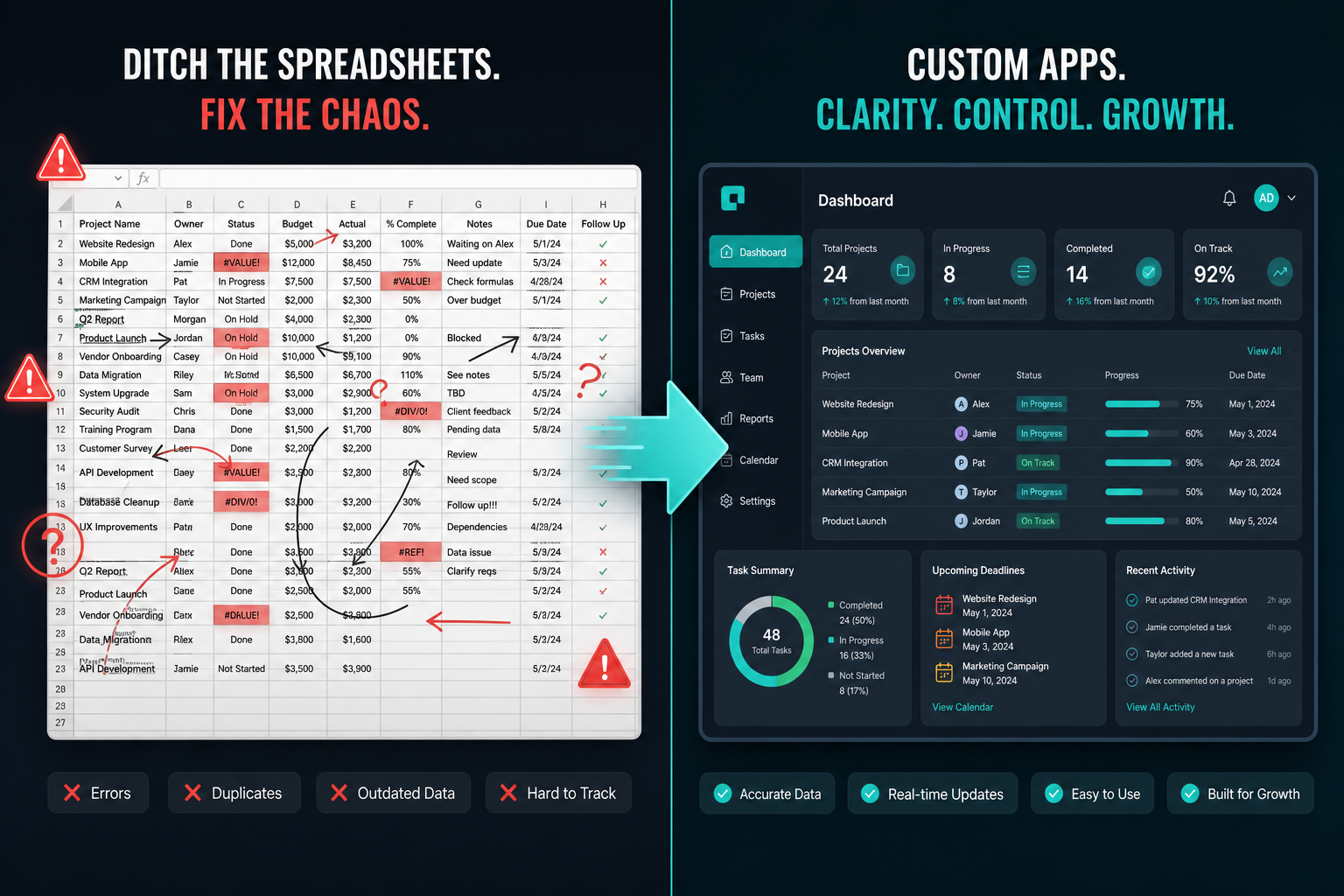
Spreadsheets are one of the most versatile tools ever built. They are flexible, familiar, and available to everyone. When you are a team of two or three people, a well-structured Google Sheet can genuinely solve a lot of problems.
Then your team grows. A few more people need access. Processes get more complex. Somebody adds a formula that breaks when someone else edits the wrong column. There are three versions of the “master” file floating around in different inboxes. A new hire spends their first week asking which spreadsheet is the right one.
You are not using a spreadsheet anymore. You are managing a spreadsheet.
The real cost is hard to see because it is spread across small tasks: re-entering data, checking versions, repairing formulas, chasing approvals, and explaining the same process to each new person. Measure those tasks in your own team before estimating the value of a replacement.
Here are the seven clearest signs that your team has outgrown spreadsheets - and what to replace each one with.
Why Spreadsheets Feel Like the Right Answer
Before getting into the signs, it is worth acknowledging why spreadsheets are so hard to let go of.
They are flexible. You can structure them any way you want. There are no constraints, no required fields, no permissions blocking you from editing what you need. And everyone already knows how to use them - there is no onboarding required.
But flexibility without structure is not actually a feature when more than one person is involved. What feels like freedom becomes chaos when:
- Different people structure data differently
- There is no enforced workflow
- There is no audit trail
- There is no way to see what has changed, who changed it, or why
A spreadsheet is a blank canvas. Your team needs a tool.
Sign 1 - Multiple People Edit the Same File
One person working in a spreadsheet is fine. Two people working in the same spreadsheet at the same time is a problem waiting to happen.
Google Sheets handles concurrent editing better than Excel, but it does not handle it well enough for any workflow where accuracy matters. Cells get overwritten. Formulas break. Someone’s edit disappears because two people modified the same row. And because there is no locking mechanism, there is no way to prevent any of this.
If more than one person regularly needs to add, update, or review data in your spreadsheet, you need a database-backed application - something with proper record ownership, update history, and the ability for multiple people to work simultaneously without stepping on each other.
Sign 2 - You Have a “Master Version” Problem
If someone on your team has ever said the words “make sure you use the latest version,” you have a master version problem.
Spreadsheets get emailed. They get duplicated. People download a local copy. Someone makes changes to the wrong file and those changes never make it to the version everyone else is using. By the time anyone notices, the data is wrong and nobody is sure for how long.
This is one of the most insidious spreadsheet problems because it looks like a process problem, not a tool problem. The fix is always “be more disciplined.” But discipline does not solve the underlying issue: spreadsheets were not designed to be a single source of truth for multiple contributors.
A proper app with a centralised database solves this entirely. There is one version. Everyone reads from and writes to the same data. There is no “latest version” because there is only one version.
Sign 3 - There Is No Audit Trail
Do you know who changed what in your spreadsheet, when they changed it, and why?
In most spreadsheets, the answer is no. Google Sheets has a version history, but it is not granular enough to tell you which specific cell was changed in which edit session, who changed it, or what the reason was. Excel is worse.
An audit trail matters when something goes wrong - a record is deleted, a number is changed, a status is updated incorrectly. Without knowing who changed what and when, you cannot understand what happened, you cannot hold anyone accountable, and you cannot undo specific changes without reverting the entire file.
For any business process that involves money, compliance, approvals, or client-facing information, the absence of an audit trail is a real operational and legal risk. Proper internal tools keep a full change log: who touched what, when, and what it was before.
Sign 4 - Approvals Happen Over Email
If your approval workflow looks like this: someone fills in a spreadsheet row, then sends an email to their manager, the manager replies to approve or reject, and then someone manually updates the spreadsheet - you do not have a workflow. You have three disconnected systems pretending to be one.
The problems compound quickly. Emails get missed. Approvals happen but the spreadsheet never gets updated. Someone approves a purchase that was already rejected by someone else, because the status was not visible to both approvers. The manager is on leave, and there is no way to reroute to their backup.
An approval workflow tool connects the submission, the notification, the decision, and the record into a single process. The request is submitted in the app. The right person is notified automatically. They approve or reject with one click. The record updates immediately. Everyone can see the status without asking anyone.
The email chain disappears entirely.
Sign 5 - Your Formula Logic Is Load-Bearing
If your spreadsheet has formulas that nobody fully understands, and editing them risks breaking something important, your spreadsheet has become infrastructure.
Load-bearing formulas are a real and common problem. A spreadsheet gets built by someone who understood all the dependencies. Over time, new columns get added, references shift, and the original author leaves. Nobody knows what the VLOOKUP in column H is actually doing or why it errors out when a new row is added in a certain way.
This is a maintenance and resilience problem. A formula-heavy spreadsheet is fragile. It breaks in ways that are hard to diagnose and costly to fix. And because the logic lives inside the file rather than in code that can be version-controlled and tested, there is no clean way to manage it.
Business logic should live in an application - where it can be maintained, updated, and understood without the risk of accidental breakage from an accidental keystroke.
Sign 6 - Onboarding Someone New Requires a Manual
If you have ever written a “how to use this spreadsheet” document - or had to sit with a new team member for an hour walking them through which columns mean what, which tab is for which purpose, and what the colour coding signifies - your spreadsheet has become software that does not explain itself.
Good software is self-describing. A proper app has labels, structure, clear field names, and defined inputs that make the workflow obvious to someone using it for the first time. Spreadsheets are built by whoever built them, in whatever way made sense to that person at the time.
When onboarding someone new to a tool takes significant time and a dedicated explanation, you are paying an ongoing tax for using the wrong tool.
Sign 7 - You Have Built Workarounds on Top of Workarounds
This is the most telling sign. When your spreadsheet solution has tabs that exist solely to support other tabs, when you have helper columns that are only there because the main formula broke without them, when you have a separate spreadsheet that feeds data into the main one - you have a system of workarounds.
Every workaround is a sign that the original tool could not do what you needed, so you extended it. And every extension makes the whole thing harder to maintain, harder to understand, and easier to break.
The honest answer when this happens is not to build another workaround. It is to replace the tool.
What to Replace Each Spreadsheet With
Here is a practical mapping of the most common spreadsheet-based processes and what they should become:
Expense approvals and purchase requests → An approval workflow app. Submissions go in, the right people are notified, decisions are logged, and every request has a clear status visible to everyone who needs to see it.
Employee roster and org chart → An employee directory app. Searchable profiles with department, role, location, and contact details. No more maintaining a separate tab for every team and hoping they stay in sync.
New hire onboarding tasks → A dedicated onboarding tracker. Each new hire gets a checklist of tasks with owners and due dates. Managers can see progress at a glance. Nothing falls through the cracks because someone forgot to send an email.
Inventory and asset tracking → An inventory management app. Current stock levels, reorder thresholds, supplier details, and movement history in one place. Not scattered across three spreadsheets that are always out of date.
Project status tracking → A project dashboard with views organised around how your team actually works - not how a project management tool vendor thinks teams should work.
Client or contact management → A lightweight CRM built around your sales process, not a generic one with 200 features you will never use.
How to Replace the Spreadsheet Without a Developer
Start by mapping the process before choosing a tool.
Write down:
- What one row represents
- Which fields are required
- Who creates and updates each record
- Which actions need approval
- Which people need read-only or edit access
- What should trigger a notification
- What history must be retained
- Which other systems need the data
Then choose the route that fits the process.
A spreadsheet may still be enough for a small, low-risk list owned by one person. An off-the-shelf product is a good choice when your process is common and you can accept the vendor’s workflow. A traditional no-code builder works when someone on the team wants to design and maintain the app.
Appaca is an AI workspace for operators. It is useful when a team needs a tailored internal app but does not want to manage code or deployment. You describe the workflow, and Appaca builds the app with a shared database, team access, and integrations.
For the migration steps, use How to Turn a Spreadsheet Into an App. To compare platforms first, see Best Spreadsheet-to-App Builders.
A Simple Readiness Check
Replace the spreadsheet when at least two of these are true:
- Several people edit the same operational data
- An error can affect money, access, compliance, or a customer
- Approvals happen outside the file
- Nobody trusts which version is current
- A new person needs verbal training to use it
- The process depends on formulas one person understands
- Status reports require manual copying and filtering
- You need a clear history of who changed what
Choose one workflow first. Define the success measure, import a copy of the data, test with a small group, and keep the original file read-only until the new system is proven.
The spreadsheet was not a mistake. It helped the process take shape. The next step is to give that process the structure, access, and workflow it now needs.