
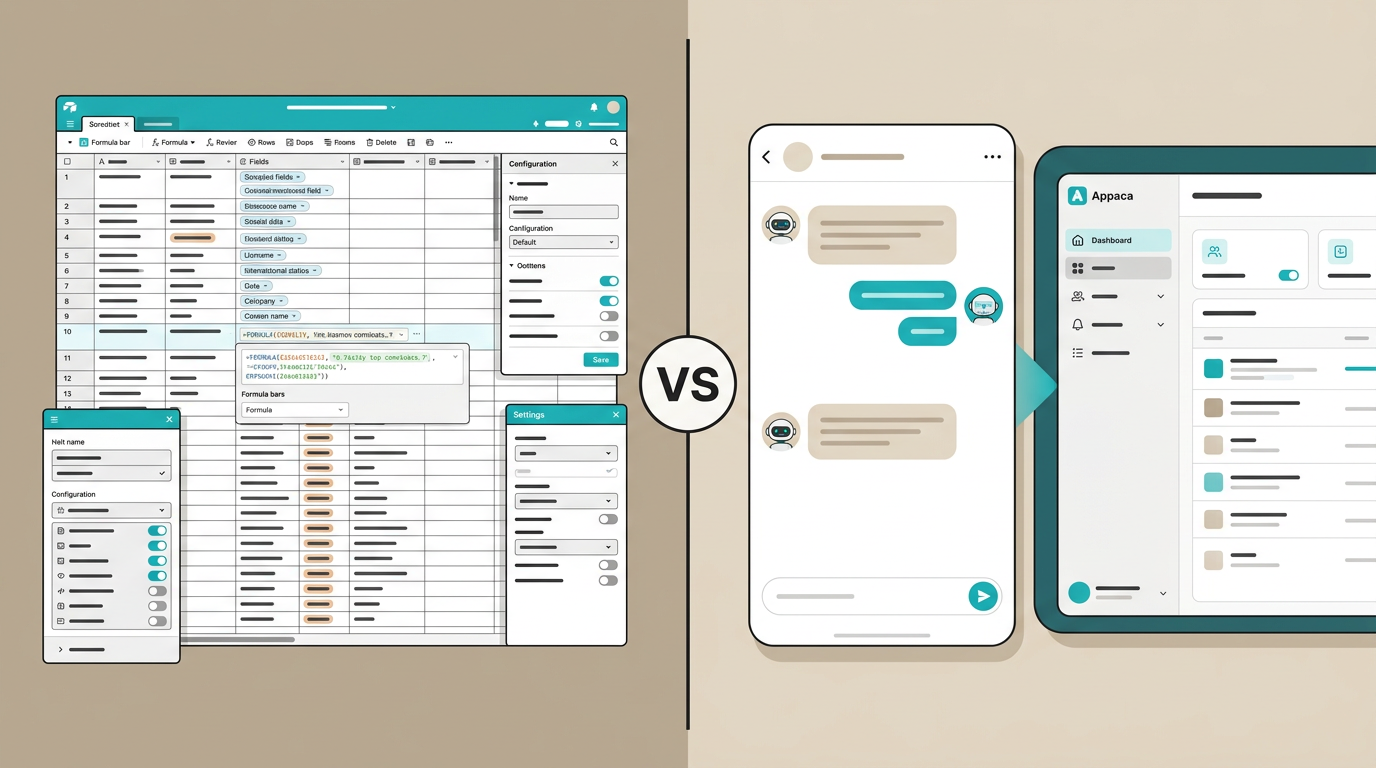
Airtable is one of the most popular tools for teams that need more than a spreadsheet but less than a full database application. It is powerful, flexible, and used by over 500,000 organizations worldwide.
But powerful does not always mean right. If you have ever spent an afternoon trying to configure an Airtable base, set up automations, or explain the difference between linked records and lookup fields to a teammate, you know the pain.
Appaca takes a fundamentally different approach. Instead of giving you a builder that you configure, it gives you ready-to-use tools based on what you describe.
Let’s compare them honestly.
What Airtable Does Well
Airtable deserves credit for what it has accomplished. It turned the spreadsheet-database hybrid into a mainstream product category. Here is where it genuinely excels:
Flexible data modeling. Airtable lets you create custom databases with different field types - text, numbers, dates, attachments, linked records, formulas, and more. You can model complex relationships between data.
Multiple views. The same data can be viewed as a grid, calendar, kanban board, gallery, or form. This is genuinely useful for teams that need to see information in different ways.
Strong automation. Airtable’s automation engine lets you trigger actions when records are created, updated, or meet certain conditions. Send emails, update fields, post to Slack - it handles common workflows.
Large ecosystem. Airtable has integrations with hundreds of other tools, a marketplace of templates, and a community of users sharing solutions.
API access. For technical teams, Airtable provides a solid API that makes it easy to connect to other systems.
For teams that have someone comfortable configuring databases and want fine-grained control over their data structure, Airtable is a solid choice.
Where Airtable Falls Short
Here is where things get complicated - especially for non-technical teams:
The Learning Curve Is Steep
Airtable markets itself as easy to use, but there is a significant gap between “creating a simple table” and “building a useful tool for your team.”
Want to set up an approval workflow? You need to understand linked records, automations, conditional logic, and interface designer. Want to create a clean dashboard for your team? That requires building an Airtable Interface, configuring widgets, and managing permissions.
For a non-technical operations manager or a small business owner, this is a lot of overhead for something that should be simple.
You Are Still Building
Airtable gives you building blocks. You still have to assemble them. Designing the right field structure, choosing the right views, setting up the right automations - this is software design work. It requires thinking about data relationships, user flows, and edge cases.
Many Airtable users start enthusiastic and end up with a messy base that nobody wants to maintain because the person who built it left the team or forgot how it all fits together.
Pricing Adds Up
Airtable’s free plan is limited to 1,000 records per base. The Team plan starts at $20 per seat per month, and the Business plan is $45 per seat per month. For a team of 10, you are looking at $200 to $450 per month - and that is just for one tool.
If you need Airtable plus a project management tool plus a CRM plus a time tracker, costs compound fast.
It Is a Tool, Not a Solution
This is the core issue. Airtable gives you a powerful tool for organizing data. But organizing data is a means to an end. What you actually want is a working approval system, or a client tracker, or an inventory manager. Airtable makes you build those from scratch.
How Appaca Takes a Different Approach
Appaca is not a database builder or a spreadsheet alternative. It is a platform that gives you ready-to-use tools based on what you describe.
The core difference is philosophical:
- Airtable says: “Here are powerful building blocks. Assemble what you need.”
- Appaca says: “Tell us what you need. We will create it for you.”
With Appaca, you do not configure fields, set up views, or build automations. You describe the tool you want in plain language - “I need an inventory tracker with product names, quantities, categories, and low-stock alerts” - and Appaca’s AI creates a working tool in minutes.
The tool comes with:
- A purpose-built interface (not a configurable grid)
- A built-in database (no setup required)
- Exactly the features you described (nothing more, nothing less)
There is no learning curve because there is nothing to learn. You describe what you need and start using it.
Feature Comparison
| Airtable | Appaca | |
|---|---|---|
| Approach | You build it from building blocks | AI creates it from your description |
| Learning curve | Medium to high | Near zero |
| Time to working tool | Hours to days | Minutes |
| Data storage | Built-in (record limits on lower plans) | Built-in (automatic) |
| Customization | Highly configurable | Describe what you want, refine through chat |
| Automations | Built-in automation engine | Describe the behavior you need |
| Integrations | 100+ native integrations | Google Sheets, Slack, Notion, Airtable, and more via API/webhook |
| Views | Grid, kanban, calendar, gallery, form | Purpose-built interface per tool |
| Collaboration | Shared bases with permissions | Shared workspace with team members |
| Hosting | Cloud-hosted by Airtable | Cloud-hosted by Appaca |
| Maintenance | You maintain the structure and logic | Platform handles it |
| Best for | Teams with a builder/admin | Teams that want to use, not build |
Which One Should You Choose?
Choose Airtable if:
- You have someone on your team who enjoys configuring tools and is willing to maintain them
- You need complex relational data modeling with specific field types and formulas
- You want granular control over every aspect of your data structure
- Your team is comfortable learning a new tool with a meaningful learning curve
- You need deep integrations with a specific set of enterprise tools
Choose Appaca if:
- Your team does not have a dedicated tool builder or admin
- You want working tools fast without a learning curve
- You are tired of maintaining complex configurations that break when someone changes something
- You need multiple purpose-built tools (not just a database) in one workspace
- You value simplicity and speed over configurability
- You want to reduce tool sprawl and subscription costs
The honest take
Airtable is great if you think of software as something you build. Appaca is great if you think of software as something you use.
For many teams - especially small businesses, freelancers, and non-technical operators - the building is the bottleneck. You do not need more configuration options. You need tools that work for your specific situation, right now, without a project to set them up.
That is what internal tools is about. And that is what Appaca delivers.
Ready to try a different approach? Get started with Appaca and see how fast you can go from “I need this” to “I am using this.”
Airtable Interfaces vs a real internal app
Airtable Interfaces help you present a base. They are not a full application layer.
Teams usually hit the Interfaces ceiling when they need:
- Role-based access beyond “who can open the interface”
- Multi-step approvals with clear ownership
- A UI that non-Airtable users can actually navigate
- Logic that is painful to keep inside automations and linked records
That is when people search for an Airtable alternative for internal apps. Softr is a common next step for portals. Appaca is the better next step when the job is an internal ops tool with its own database — not another skin on the same base.
Related reading
- Best Airtable alternative for internal apps
- Per-seat cost calculator — what Airtable seats cost at your headcount
- Appaca vs Softr
- Best Retool alternatives 2026