
AI coworkers, built for your team
Create AI teammates with their own name, instructions, and knowledge, then chat with them anytime to research, draft, and get real work done using your workspace's data and tools.
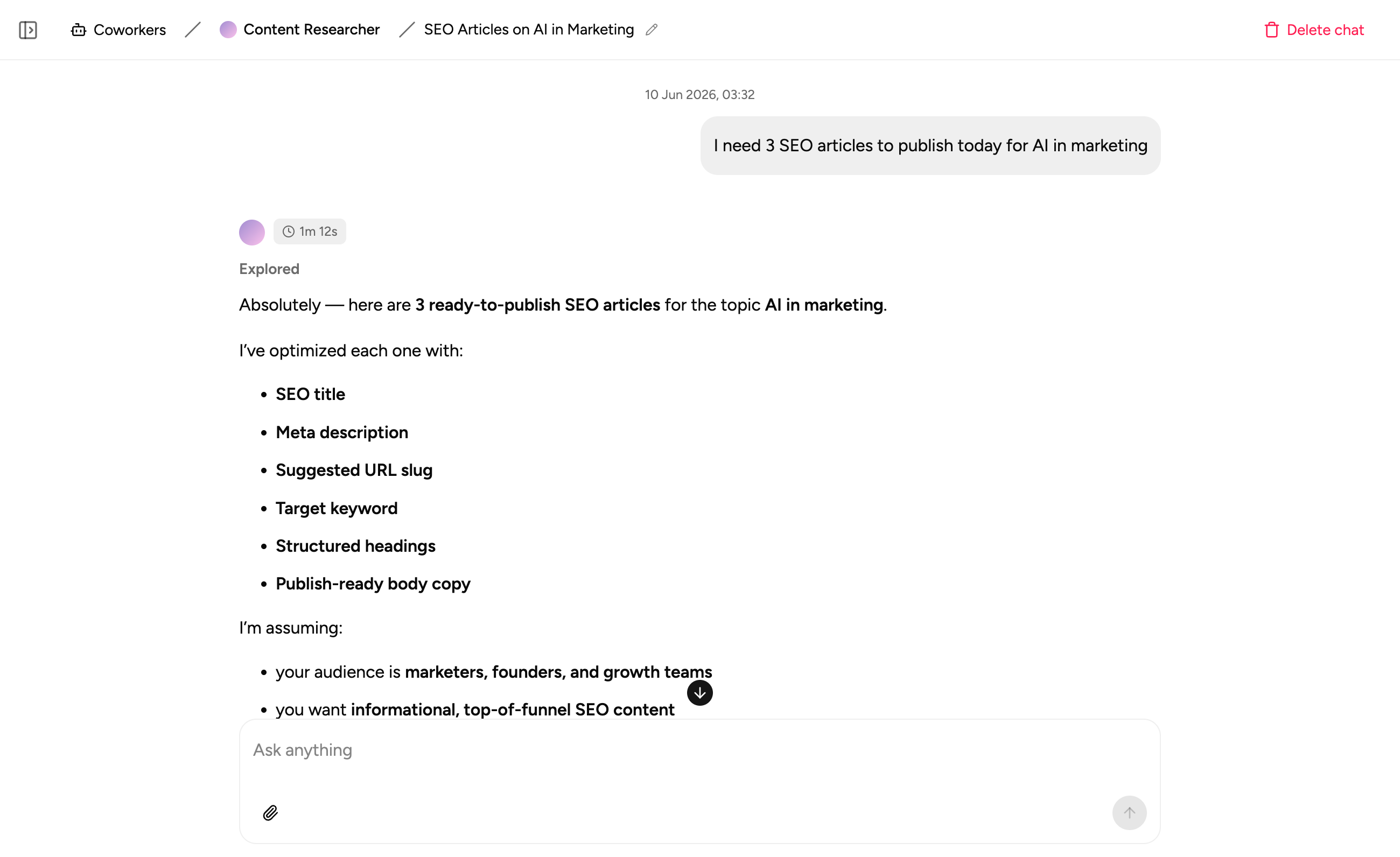
A teammate you configure once, then rely on
Coworker isn't a one-off chat. Give it a role and the context it needs, and every conversation after that picks up from where you left off.
Give it a name, a role, and instructions
Create a coworker with its own name, avatar, and instructions describing what it should do and how it should work. Set it up once, then start a conversation whenever you need it.
Teach it your organizational knowledge
Attach docs, SOPs, and notes as a knowledge base so it answers questions and takes action with context that's specific to your team, not generic guesses.
Works with your real data
A coworker can look up, create, and update records in your workspace database, so it's actually doing the work, not just describing what someone else should do.
Research and write on demand
Ask a coworker to search the web, summarise a document, draft a message, or put together a report, and it gets started right in the conversation.
Connect it to the tools you use
Give a coworker access to Google Sheets, Google Calendar, Google Drive, Slack, and Airtable, so it can pull in context and take action where your team already works.
Asks when it needs to
If a coworker needs more information to get something right, it pauses and asks a quick question instead of guessing, so you stay in control.
A coworker built on a platform your team can trust
Authentication, security, and storage are all built in, so your team can start delegating work without setting up anything separate.
Secure team sign-in
Every team member signs in with their own account, so your coworkers and the data behind them are only ever seen by the people you invite to the workspace.
Share every coworker with your team
Every coworker you create lives in your workspace, so any teammate you invite can pick up a conversation, keep it going, or start a fresh one.
Every conversation saved
Coworkers keep a history of past chats, so you can jump back into an earlier conversation or start something new without losing context.
Built-in database
Coworkers read and write to the same secure, structured database as the rest of your workspace, with no separate integration to maintain.
Enterprise-grade security
Every conversation and action is handled with the security practices your team expects - encrypted, protected, and under your control.
Access from anywhere
Coworkers live in the browser, so your team can chat with them from the office, home, or on the road.
File & image support
Share files with a coworker for extra context, and ask it to generate or edit images right inside the conversation.
Usage tracking
See how much AI usage each coworker takes up against your plan, so you know where it's adding the most value.
FAQs
Coworker lets you create your own AI teammates inside Appaca. Each one gets a name, a set of instructions, and its own knowledge, and you chat with it to get real work done.
A regular chat starts from scratch every time. A coworker keeps its name, instructions, knowledge, and connected tools saved, so you can open a new conversation and get straight to the task.
Anything you'd hand to a teammate - research a topic, draft a message or report, look up and update records, summarise a document, or generate an image, and more as you connect additional tools and knowledge.
Only what you connect. You choose which knowledge, connectors, and workspace data each coworker can use, and it only works with what you've given it access to.
Yes. Invite your team into the workspace and everyone can chat with the same coworkers, continue past conversations, or start their own.
It depends on your plan. Free plans include one coworker to get started, and paid plans include unlimited coworkers, so you can build out a whole team of them.
Give your team an AI coworker
Describe the work you want handled, and Coworker gets to work with your knowledge, your data, and the tools you connect. No setup, no code.