
 Google Sheets Integration
 Connect Google Sheets to Appaca
Your team already has the data in Google Sheets. Appaca connects to it and builds the internal tools, automations, and AI your spreadsheet cannot run on its own.
What Google Sheets was never designed to handle
Google Sheets is the right tool for capturing and sharing data quickly. It becomes the wrong tool the moment your team tries to build operational workflows on top of it.
Version chaos the moment two people edit
Who made the last change? Which tab is the source of truth? Shared spreadsheets create conflicts, overwritten rows, and broken formulas the moment two people try to use them at the same time.
No real access control
Sharing a Google Sheet means everyone sees everything, or you lock the whole file. There is no middle ground for showing each person only their own data with proper permissions.
Automations built on fragile workarounds
Getting Google Sheets to do anything automated means Apps Script, Zapier chains, or manual processes. When something changes, the automation breaks and no one knows how to fix it.
Build internal tools on top of your Google Sheets data
Appaca connects to Google Sheets and uses it as the data layer for the internal tools your team actually needs, with AI, automations, and proper access controls built in.
Build internal apps on your spreadsheet data
Connect Appaca to your Google Sheets and describe the tool you need. The Appaca agent builds a working internal app with your real spreadsheet data as the foundation, shaped around how your team uses it.




AI agents that work with your sheet data
Create AI agents that read your Google Sheets, summarise records, generate reports, and trigger actions based on what is in your data, automatically.
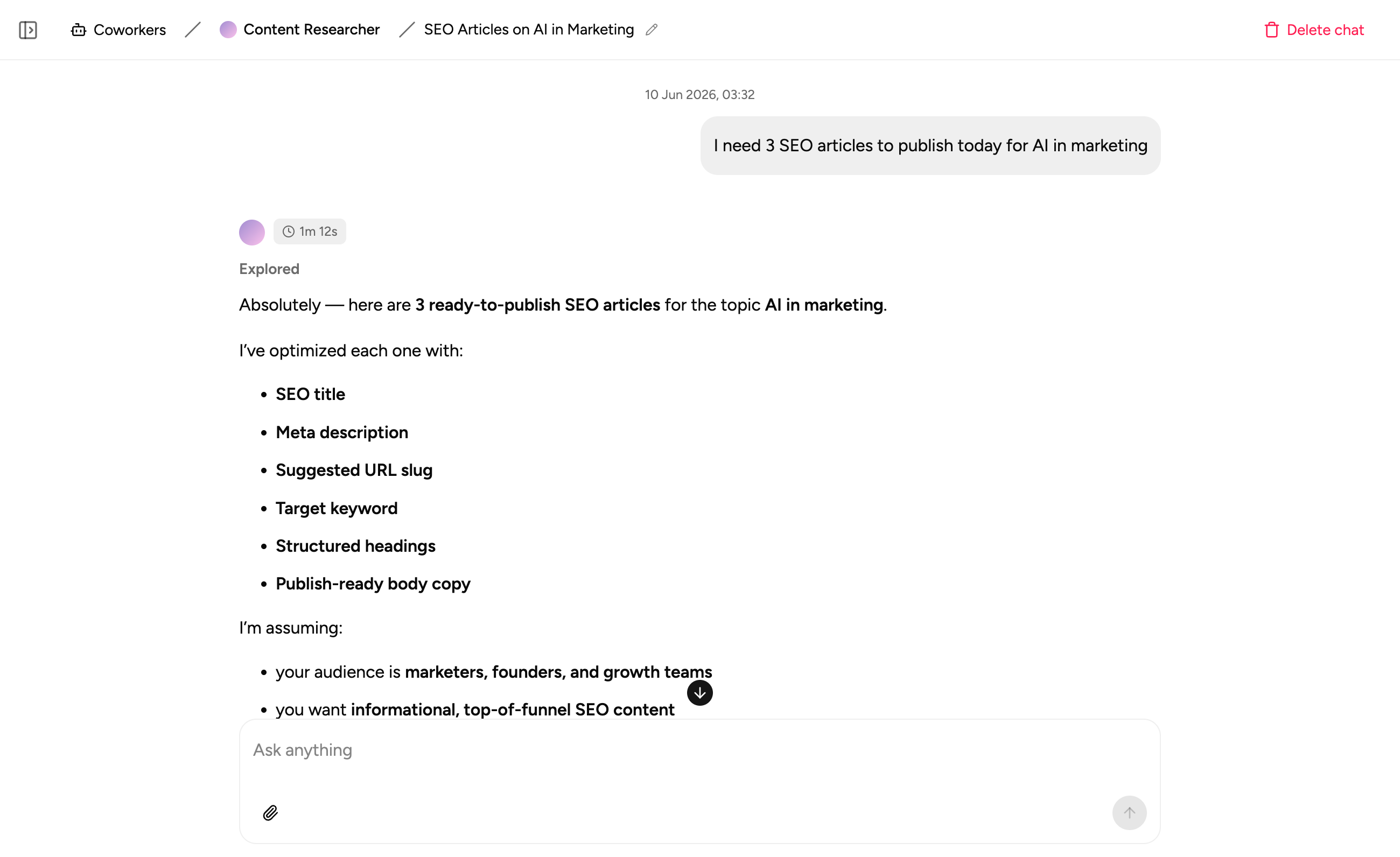
Process docs alongside your sheet data
Store the SOPs, guidelines, and context that explain how your team uses the data right inside the workspace. Your team always has what they need in one place.
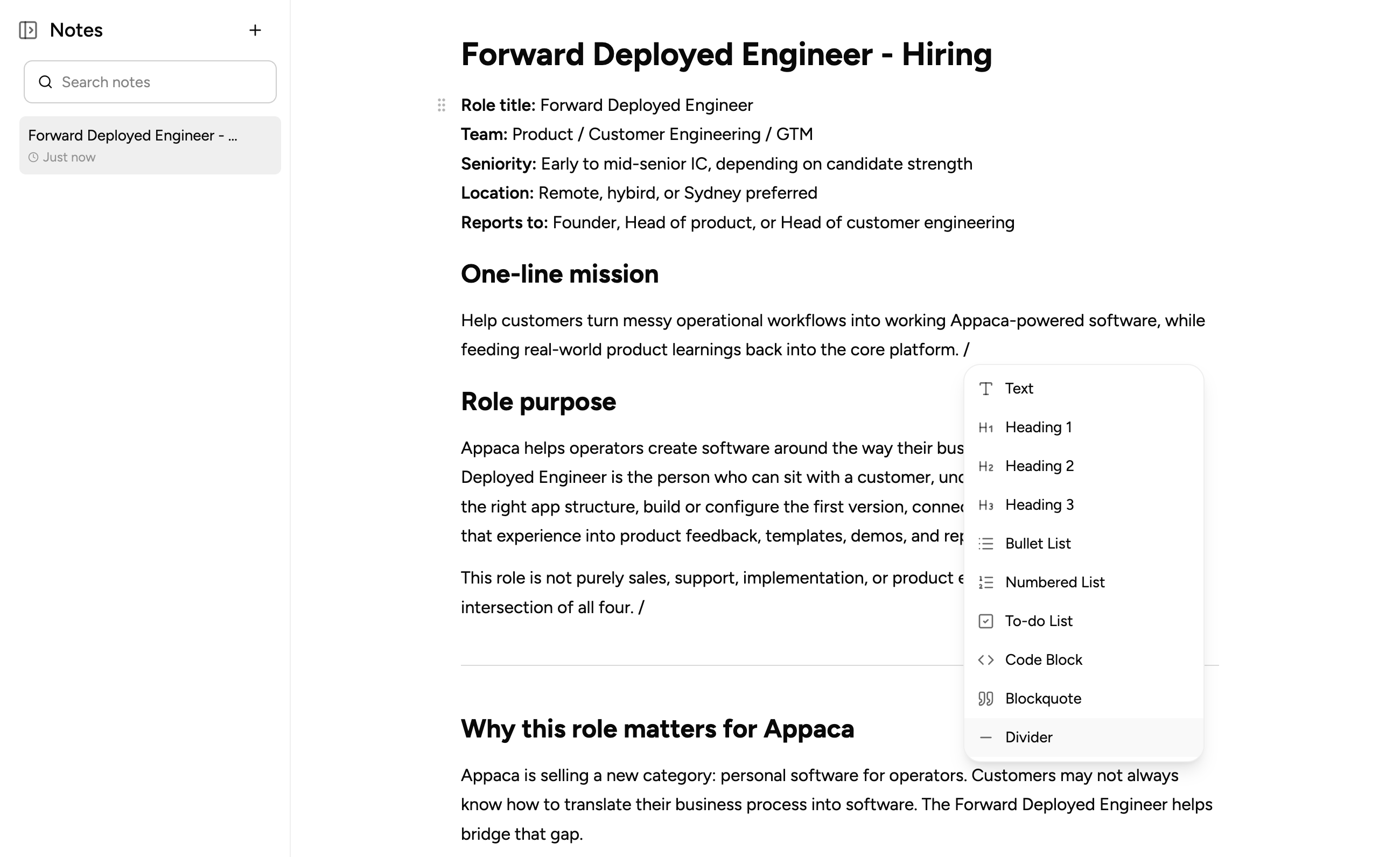
What teams build when they connect Google Sheets to Appaca
Connect your spreadsheet data and build the tools your team needs to actually act on it, with proper workflows, AI, and access controls.
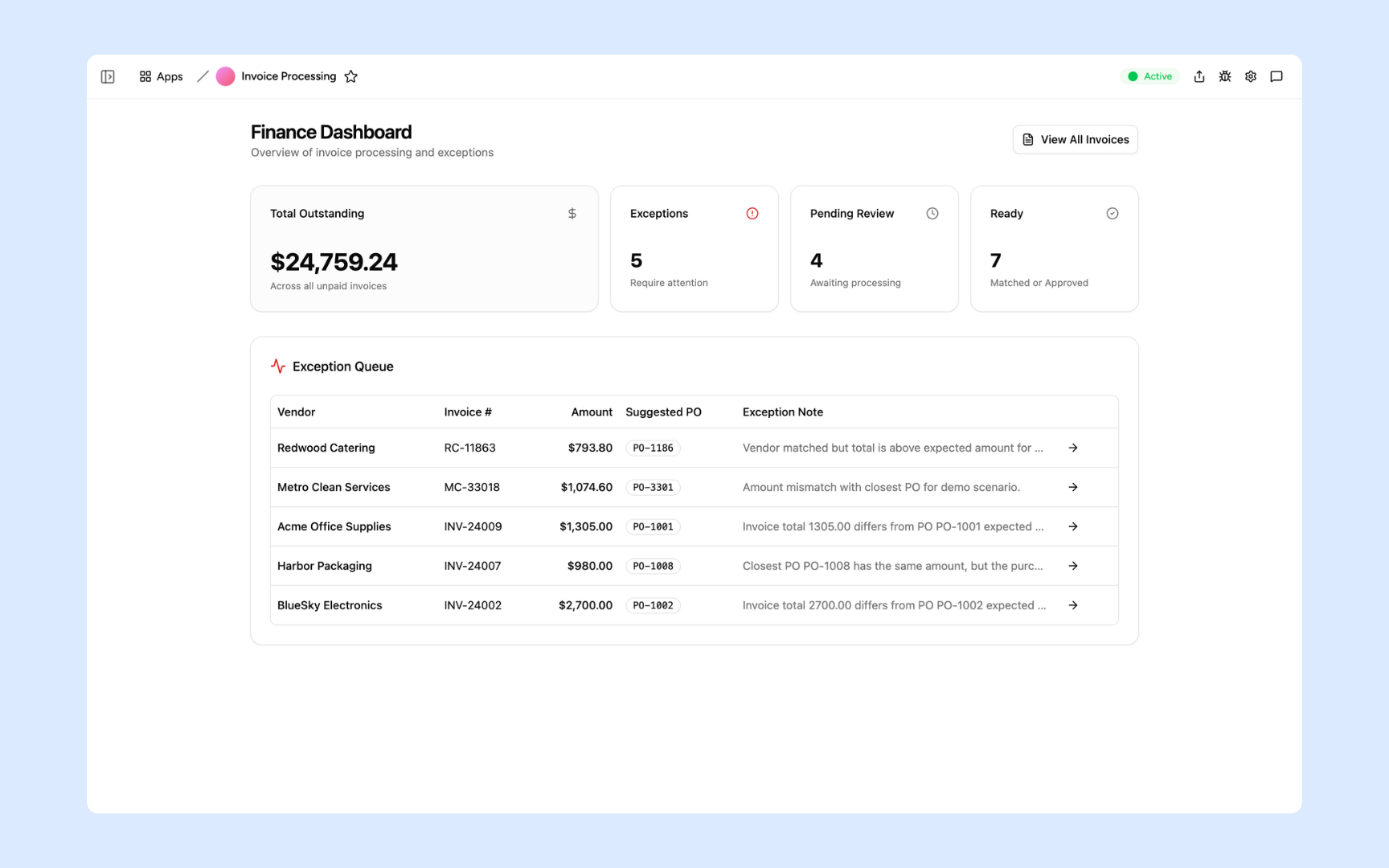
Invoice Processing
Turn your invoice tracking sheet into a proper tool. Extract data from invoices, match against your Google Sheets records, and flag discrepancies automatically.
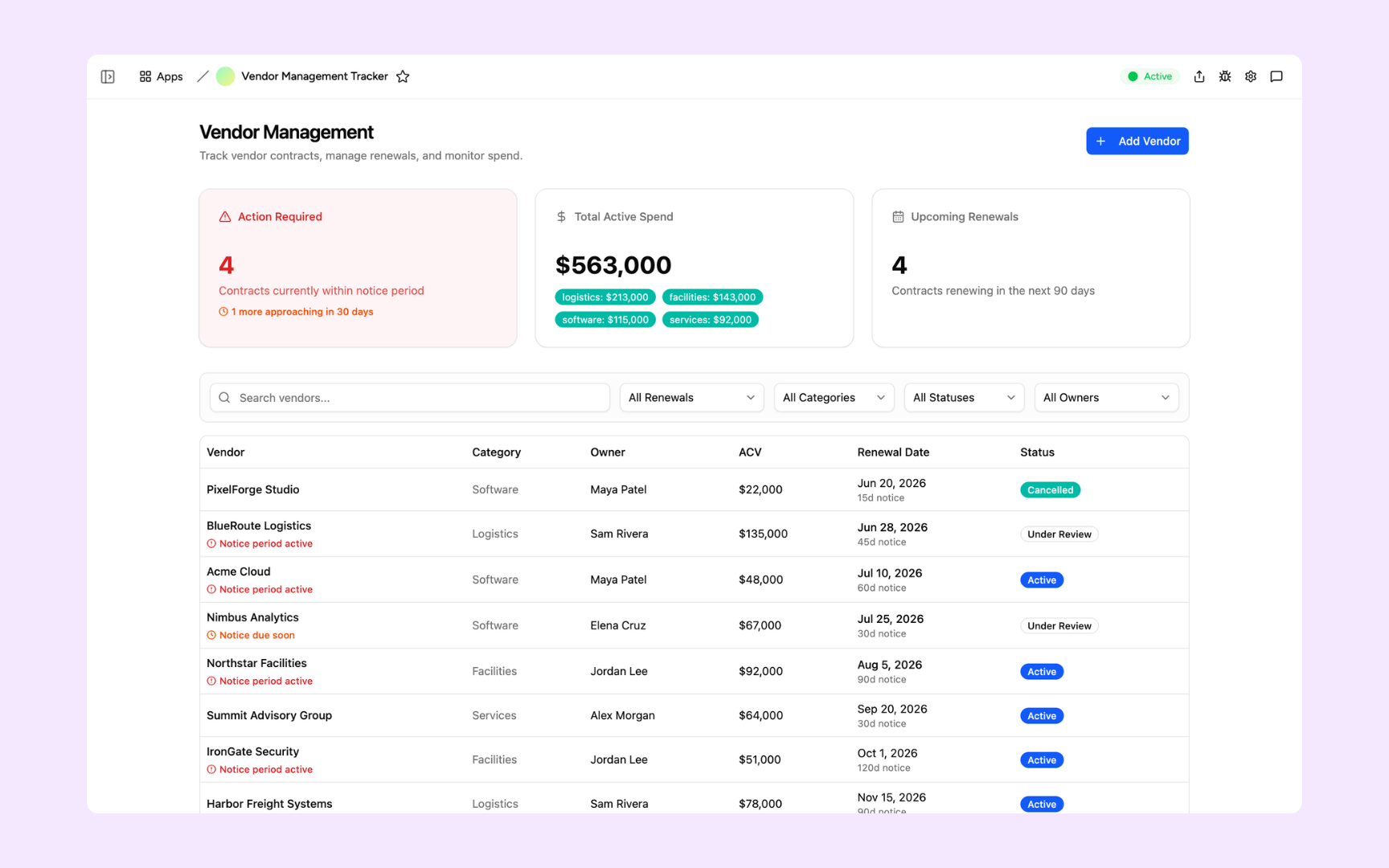
Vendor Tracker
Replace the contract spreadsheet your whole team uses. Track vendors, renewal dates, and performance in one tool built on top of your Google Sheets data, with proper access controls.
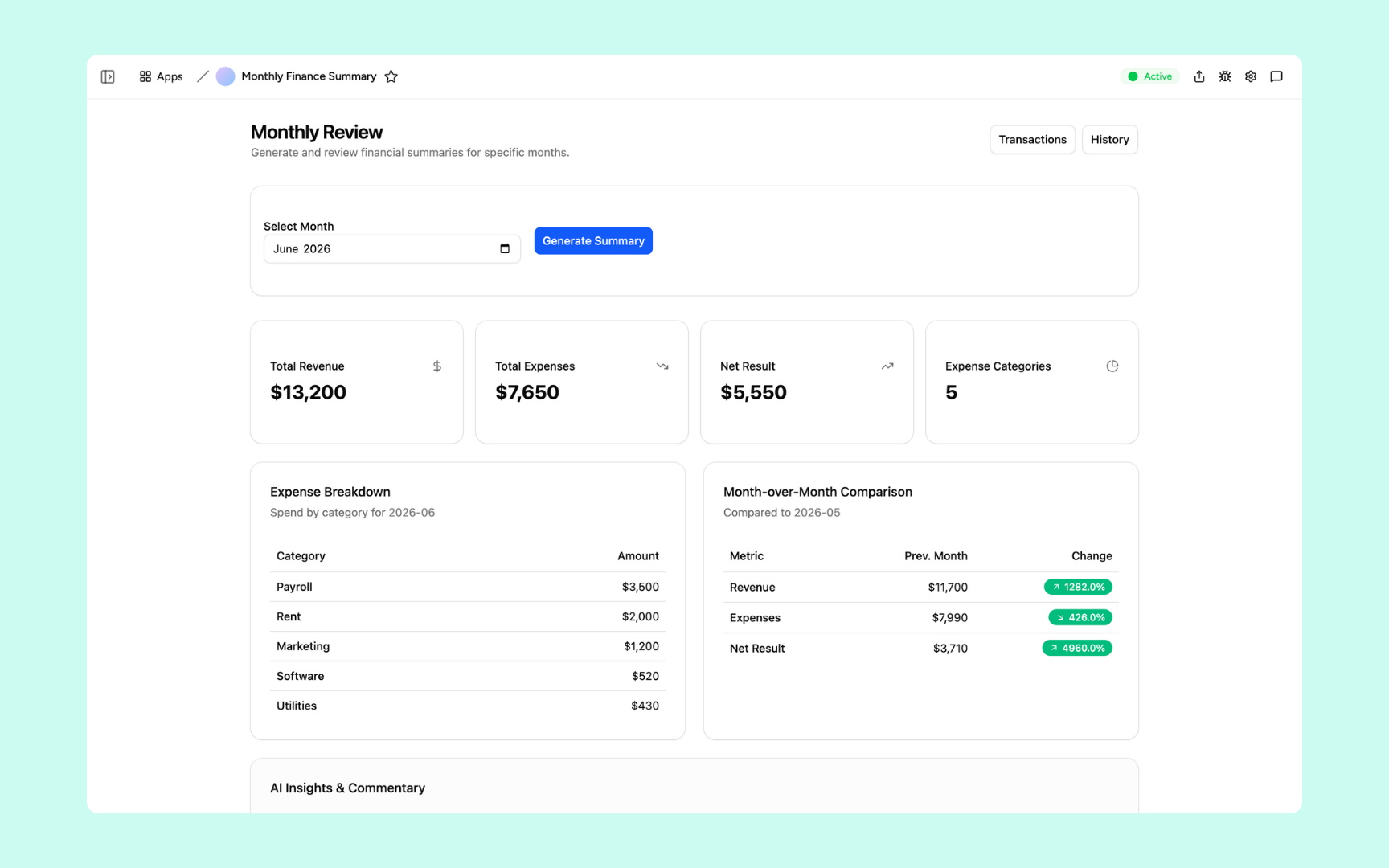
Monthly Finance Report
Pull from your Google Sheets finance data and build a live dashboard that summarises the numbers, flags variances, and generates the report automatically on schedule.
Every tool built on a platform your team can trust
Authentication, permissions, automations, and security are all built in. Your Google Sheets data flows in and your team works from a tool with the right controls from day one.
Secure team sign-in
Every team member signs in with their own account. Your spreadsheet data is only accessible to the people you invite.
Role-based permissions
Control who can view, edit, or manage each tool and each record. Every user sees exactly what their role requires.
Scheduler and automations
Trigger actions when records change, send alerts to Slack, and schedule recurring tasks automatically on top of your Google Sheets data.
Secure built-in database
Appaca can store additional data alongside your Google Sheets records in a secure built-in database. Your data stays structured and searchable in one workspace.
Enterprise-grade security
Your Google Sheets credentials and data are encrypted and protected. Only the team members you authorise can access the tools you build.
Access from anywhere
Your tools live in the browser. Your team can use them from the office, home, or on the road without installs or VPN.
File and image storage
Attach receipts, invoices, and documents to the records they belong to, alongside your spreadsheet data in one workspace.
Usage tracking
See how your team uses the tools you build on top of Google Sheets so you know what is working and where to improve.
Explore more ways to build with Appaca
See related use cases, other integrations, and how to build this yourself.
FAQs
You connect Appaca to your Google Sheets via API. Once connected, Appaca can read from and write to your sheets, so the internal tools you build run on your live spreadsheet data without manual exports.
No. Appaca connects to Google Sheets and uses it as a data source. Your data stays in your sheets. The tools you build in Appaca read from and write to your existing spreadsheets.
Any internal tool your team needs. Common ones include invoice trackers, finance dashboards, vendor management tools, operations reports, employee directories, and CRM views, all running on your existing spreadsheet data.
Yes. The tools you build in Appaca can both read from and write to your Google Sheets, so records stay in sync as your team takes actions in Appaca.
Yes. Appaca connects to Google Sheets using your credentials, which are stored securely. Your spreadsheet data is only accessible to the team members you invite to your Appaca workspace.
Build better tools on top of your Google Sheets data
Connect Google Sheets to Appaca and give your team the internal tools and AI your spreadsheets have always been missing.
- 7-day trial
- No credit card
- Cancel anytime