
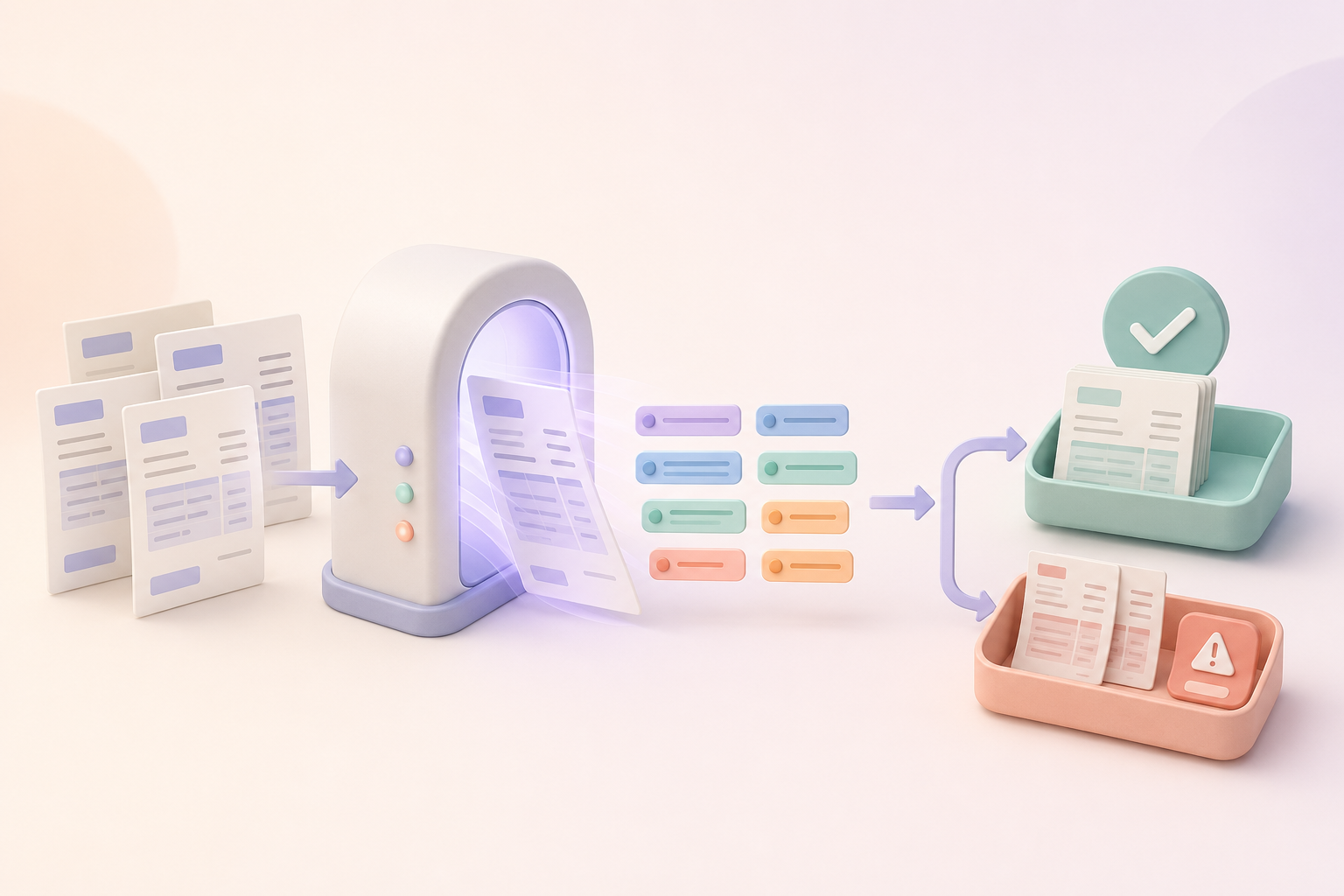
The best invoice automation software depends on how much of accounts payable you want to automate. Dext focuses on capture and bookkeeping data. Nanonets and Rossum handle document processing. BILL, Ramp, and Airwallex extend into approvals and payments. Stampli centres approval work. Appaca is a good fit for a custom intake, exception, and approval workflow.
Quick verdict
- Best for a custom invoice intake and approval workflow: Appaca
- Best for small-business AP and payments: BILL
- Best for receipt and invoice capture for bookkeeping: Dext
- Best for configurable AI document processing: Nanonets
- Best for complex and higher-volume document workflows: Rossum
- Best for invoice-centred approval collaboration: Stampli
- Best for AP beside company spend management: Ramp
- Best for cross-border finance and bill pay: Airwallex
- Best for teams that want bill capture inside accounting: Xero
If your main problem is a unique intake, extraction, exception, and approval process, review Appaca’s invoice processing tool. If you need the software to move money, start with a payment-enabled AP platform instead.
Best invoice processing software at a glance
| Platform | Best for | Capture and extraction | Approval workflow | Payments |
|---|---|---|---|---|
| Appaca | Custom invoice workflows | AI-led custom extraction flow | Built around team rules | No, hand off to finance system |
| BILL | Small-business AP | Yes | Yes | Yes |
| Dext | Bookkeeping capture | Strong receipt and invoice capture | Limited compared with full AP tools | Available in supported products and regions |
| Nanonets | Configurable document automation | Strong AI document processing | Yes, including exceptions | Depends on workflow and connections |
| Rossum | Complex document operations | Strong document capture and validation | Yes | Usually hands off to ERP or payment systems |
| Stampli | Approval collaboration | Yes | Core strength | Payment options depend on product and region |
| Ramp | Spend and AP in one platform | Yes | Yes | Yes |
| Airwallex | Multi-currency finance operations | Yes | Yes | Yes |
| Xero | Accounting-first small businesses | Bill and document capture | Basic accounting workflow | Through Xero payment features and connections |
This guide was reviewed on 22 July 2026 using public product pages and documentation. Availability, accounting connections, payment methods, tax features, and plan rules vary by country. Confirm the current product in your region before buying.
Invoice OCR, invoice workflow, and AP automation are different
Invoice software is easier to compare when you separate three layers.
1. Capture and extraction
The system receives an invoice by email, upload, scan, or another channel. It reads fields such as supplier, invoice number, date, due date, currency, tax, total, and line items.
This is often called invoice OCR or intelligent document processing. OCR means optical character recognition, which turns text in an image or PDF into machine-readable data. AI can then help identify which value belongs to which field.
2. Validation, matching, and approval
The system checks the extracted data, looks for duplicates, compares invoices with purchase orders or receipts, and sends exceptions to a person. It then routes the invoice to the right approver.
This is where many real-world failures appear. A clean demo invoice is easy. A duplicate number, changed bank account, missing PO, low-quality scan, or wrong tax total needs a safe exception path.
3. Posting and payment
The approved invoice is sent to the accounting or enterprise resource planning system, then scheduled for payment. Some platforms handle this directly. Others prepare clean data and hand it to a finance system.
Do not assume a product that extracts invoice fields can pay suppliers. Do not assume a payment product can handle every document format or matching rule.
A practical invoice automation test
Build a synthetic pack of 20 invoices. Do not use real supplier bank details in a trial.
Include:
- Several layouts and currencies
- A duplicate invoice number
- A missing purchase order
- A total that does not match the line items
- A low-quality scan
- A credit note
- A vendor name written two ways
- An invoice with changed bank details
- A tax value that needs review
For each product, check:
- How invoices enter the system
- Which fields and line items it extracts
- How it shows low-confidence values
- How it detects duplicates
- Whether it supports two-way or three-way matching
- How exceptions reach a human
- How approval rules work
- Which accounting and ERP systems it connects to
- Whether it executes payments
- What history and access controls are available
This article compares public product fit. It does not publish invented test scores. Run the pack with your own rules and review the results with the person who owns accounts payable.
1. Appaca
Best for: a tailored invoice intake, extraction, exception, approval, and export workflow.
Appaca is an AI workspace for internal tools. A finance operations team can describe how invoices arrive, which fields to extract, which checks to run, and who reviews each exception. The agent can build an app with an invoice database, document storage, status views, roles, reminders, and integrations.
For example, the workflow can collect invoice PDFs, extract key data, flag a duplicate number or missing PO, route the record by amount or department, and prepare approved data for an accounting system.
Strengths
- Custom fields, checks, roles, and status views
- AI document work inside a wider internal app
- Built-in database, files, team access, and automations
- Useful when a standard AP flow does not match the business
Limitations
- Not a payment processor or banking platform
- Not an accounting system of record
- High-volume or regulated e-invoicing may need specialist software
Choose Appaca when the main need is a custom operational layer around invoice handling. Use an approved finance platform to post and pay.
2. BILL
Best for: small and mid-sized businesses that want accounts payable and payments in one platform.
BILL Accounts Payable covers bill capture, coding, matching, approval, and payment. It is built around the wider invoice-to-pay process rather than document extraction alone.
BILL can be a strong choice when a United States business wants an established AP system that works with common accounting products. Check current international support and payment methods if your suppliers or entities sit in other countries.
Strengths
- Invoice capture through payment in one flow
- Approval rules and mobile access
- Matching and accounting connections
- Strong small-business finance focus
Limitations
- Country and payment support matter
- Custom workflows must fit the product’s AP model
- Pricing and transaction costs require a current quote or plan check
Choose BILL when payment execution and accounting integration are central, not optional.
3. Dext
Best for: accountants, bookkeepers, and small businesses that need fast receipt and invoice capture.
Dext focuses on collecting receipts, bills, and invoices through upload, email, mobile capture, and other supported routes. It extracts and categorises data, then sends it to accounting software.
Dext is useful when manual bookkeeping entry is the leading problem. Its wider payment features and availability vary, so compare the product offered in your region with a full AP platform if approval and payment are also required.
Strengths
- Strong document and receipt capture
- Mobile, email, and upload routes
- Bookkeeping and accounting-system focus
- Useful for firms handling many client documents
Limitations
- Complex multi-step approvals may need another layer
- Payment features vary by location and product
- Exception rules may be less custom than an app platform
Choose Dext when clean bookkeeping data and accounting sync are the main goals.
4. Nanonets
Best for: teams that need configurable AI extraction, matching, and exception routing.
Nanonets uses AI for document ingestion, field and line-item extraction, matching, coding, duplicate checks, and workflow steps. It can hand off to humans when the system finds an exception.
This makes it useful for companies that receive many invoice formats and need more control than a basic capture product provides.
Strengths
- Handles varied document formats
- Field and line-item extraction
- Matching, validation, and exception workflows
- ERP and accounting connection options
Limitations
- Setup quality affects the result
- Finance owners must define validation and review rules
- A broad automation project can require technical support
Choose Nanonets when document variability and custom processing are larger problems than payment execution.
5. Rossum
Best for: complex and higher-volume document processing connected to enterprise systems.
Rossum focuses on intelligent document processing for invoices and other transactional documents. It can capture, validate, transform, and route data, then connect with systems such as ERP and procurement platforms.
Rossum is more likely to fit a complex finance operation than a very small team looking for a simple bill inbox.
Strengths
- Strong document-processing focus
- Handles PDFs and structured e-invoice data
- Validation and exception workflows
- Enterprise system connections
Limitations
- More platform and implementation than many small businesses need
- Usually part of a wider finance architecture
- Payment and accounting responsibilities often sit in connected systems
Choose Rossum when document volume, variation, and downstream system integration justify a specialist platform.
6. Stampli
Best for: getting AP staff and approvers to work together around each invoice.
Stampli puts capture, coding, comments, supporting records, approvals, and history around the invoice. Its product is designed to reduce approval work scattered across email.
It is a strong fit when slow approvals and missing context are the leading AP problem.
Strengths
- Invoice-centred collaboration
- Approval routing, reminders, and context
- Matching and accounting connections
- Keeps discussion close to the record
Limitations
- Best fit depends on the accounting system and region
- More specialised than a general internal workflow tool
- Confirm current payment capabilities for your setup
Choose Stampli when approver adoption and a clear invoice conversation matter most.
7. Ramp
Best for: companies that want accounts payable beside cards, expenses, and spend controls.
Ramp Bill Pay covers invoice intake, data capture, approval, payment, and accounting sync as part of Ramp’s wider finance platform.
This can be useful when the company wants one view of invoices and other business spend. Product access and payment coverage vary by market, so check current availability for your entities and bank accounts.
Strengths
- AP and wider spend context
- Invoice capture, approvals, and payments
- Accounting and ERP connections
- Spend controls in the same product family
Limitations
- Country eligibility and payment rails matter
- Best fit comes when the team uses more of Ramp’s finance platform
- A highly custom intake process may not fit the standard model
Choose Ramp when the goal is a wider spend-management setup, not a standalone extraction tool.
8. Airwallex
Best for: finance teams that need multi-currency accounts, bill pay, and cross-border payment support.
Airwallex offers global finance products that include accounts, payments, cards, expenses, and bill-pay capabilities in supported markets. Its AP features can cover invoice capture, approval, and supplier payment.
Airwallex can suit companies with international suppliers or entities, but regional product and compliance details are important.
Strengths
- Cross-border finance focus
- Invoice-to-payment workflow in supported markets
- Multi-currency context
- Wider account, card, and expense products
Limitations
- Features and payment methods vary by country
- Not every accounting workflow is available in every market
- Compare local tax and e-invoicing needs separately
Choose Airwallex when cross-border movement of money is as important as invoice handling.
9. Xero
Best for: small businesses that want bill capture and approval close to their accounting records.
Xero is accounting software, not a dedicated document-processing platform. It supports bills, files, roles, and connected capture tools, including document collection through its product ecosystem.
For a small business already using Xero, starting inside the accounting system may be simpler than adding a full AP platform. The trade-off is less custom workflow depth than a specialist automation product.
Strengths
- Bills live near the accounting ledger
- Familiar choice for many small businesses
- Wide accountant and app ecosystem
- Avoids a separate system for simple needs
Limitations
- Not designed for every high-volume extraction case
- Complex matching and approval rules may need an add-on
- Payment methods and e-invoicing features vary by region
Choose Xero when the invoice process is modest and keeping it near the accounts matters more than advanced workflow design.
How to choose by need
You mainly need clean invoice data
Start with Dext for bookkeeping capture, or Nanonets and Rossum for more configurable document processing. Test low-quality scans, line items, and exceptions.
You need approval and payment in one system
Start with BILL, Ramp, or Airwallex, depending on your country, accounting system, supplier locations, and wider finance stack.
Slow approvals are the main problem
Look at Stampli for invoice-centred collaboration. Appaca can fit when your approval route, exception rules, and internal views are unusual.
Your workflow is unique
Use Appaca when you need a custom intake, review, approval, and export app, but keep payment in an approved finance system.
You want to stay inside accounting software
Check what Xero or your current accounting platform can already do before adding another product.
Security and fraud controls to check
Invoice automation does not remove the need for finance control. Ask:
- How are changed bank details flagged and verified?
- Can the person who creates a vendor also approve payment?
- How are duplicate invoices detected?
- Are payment limits and multiple approvers supported?
- Can users see only the entities and accounts they need?
- What happens after a user leaves?
- Is every important action recorded?
- How are low-confidence fields shown to reviewers?
- Can an approved invoice be changed before payment?
Changed bank details should trigger a separate verification process using trusted contact information. Do not rely on the phone number or email printed on the changed invoice.
When Appaca is not the right choice
Do not use Appaca as a substitute for payment rails, a general ledger, tax advice, regulated e-invoicing infrastructure, or a high-volume global AP platform.
Use it when the business needs a custom operational app around invoice intake, extraction, exceptions, approval, and handoff. Connect the approved result to the finance system that owns posting and payment.
For custom routing, compare our guide to the best approval workflow software.
Frequently asked questions
What is invoice processing automation?
It is software that captures invoice data, checks it, routes exceptions and approvals, sends clean records to accounting, and sometimes schedules payment.
What is the difference between invoice OCR and AP automation?
Invoice OCR reads text and extracts fields from the document. AP automation adds validation, matching, approval, accounting sync, payment, and reporting around that data.
Can small businesses automate invoice approvals?
Yes. Start with clear amount limits, approver roles, backup approvers, exception rules, and a decision record. Test changed amounts, duplicates, and overdue approvals.
Does invoice software detect duplicates?
Many products compare fields such as supplier, invoice number, date, and amount. Detection rules differ, so test formatting changes, credit notes, and duplicate numbers across suppliers.
Can invoice automation software make payments?
Some platforms can. BILL, Ramp, and Airwallex include payment capabilities in supported markets. Other products prepare, approve, or export data for a separate payment system.
When is a custom invoice workflow better than a full AP platform?
Use a custom workflow when intake, checks, roles, and handoffs are unusual, but invoice volume and payment needs do not justify a full AP platform. Keep accounting and payment in approved systems.
Build the right invoice workflow
Start with a synthetic invoice pack, define every exception that needs a person, and decide which system owns final payment.
Build a custom invoice processing workflow with Appaca and give finance a clear route from document intake to approved accounting data.