Describe the way you work
Tell Appaca what you need to manage and what your team should be able to do. It builds a focused internal tool around the task.
Turn your agent’s work into tools your team can use. Review results, update shared records, and take the next step in an app built around your workflow.
I’ve organised four prospects and built a lead review app around them.
Open Lead review in Apps to review the details, add notes, and shortlist the agencies you’d like to follow up.
1 shortlisted prospect is ready for a draft.
Find the right fit. Make the next move.
No prospects with this status.
Brand & digital
An independent studio bringing brand strategy and digital projects together for growing businesses.
A shared client request tracker could keep briefs, feedback, and next steps in one place.
Select a prospect to review its details.
Review a prospect, then shortlist it for follow-up.
A lead tracker, a review queue, a place to manage requests. Tell Appaca what would help, and build the tool around the work.
Tell Appaca what you need to manage and what your team should be able to do. It builds a focused internal tool around the task.
Build on shared workspace tables or the results your agent has already prepared. Give that information a useful interface.
Ask for another field, a different view, or a new action. Your app can change as your process does.
Mention an app in a conversation and ask Appaca to use its actions. Generate content, process requests, or update records, then open the app to work with the results.
A useful app connects the information, intelligence, and actions behind the task. Build them into one place your team can return to.
Collect information through forms. Search, filter, and update records in views built for the job. Apps and conversations can work with the same workspace tables.
Explore databaseSummarise a record, categorise a request, or draft the next response. Build text, image, and speech capabilities into the tools your team uses.
Explore Appaca AIBring supported services into your app’s workflow. Fetch information or trigger an action using the connectors available to your workspace.
Explore integrationsUse workspace routines to run an app action on a schedule. Prepare recurring work, update records, and return to the app when it’s time to review.
Explore routinesExplore apps for sales, operations, content, and onboarding. Shape the workflow around what your team needs to get done.
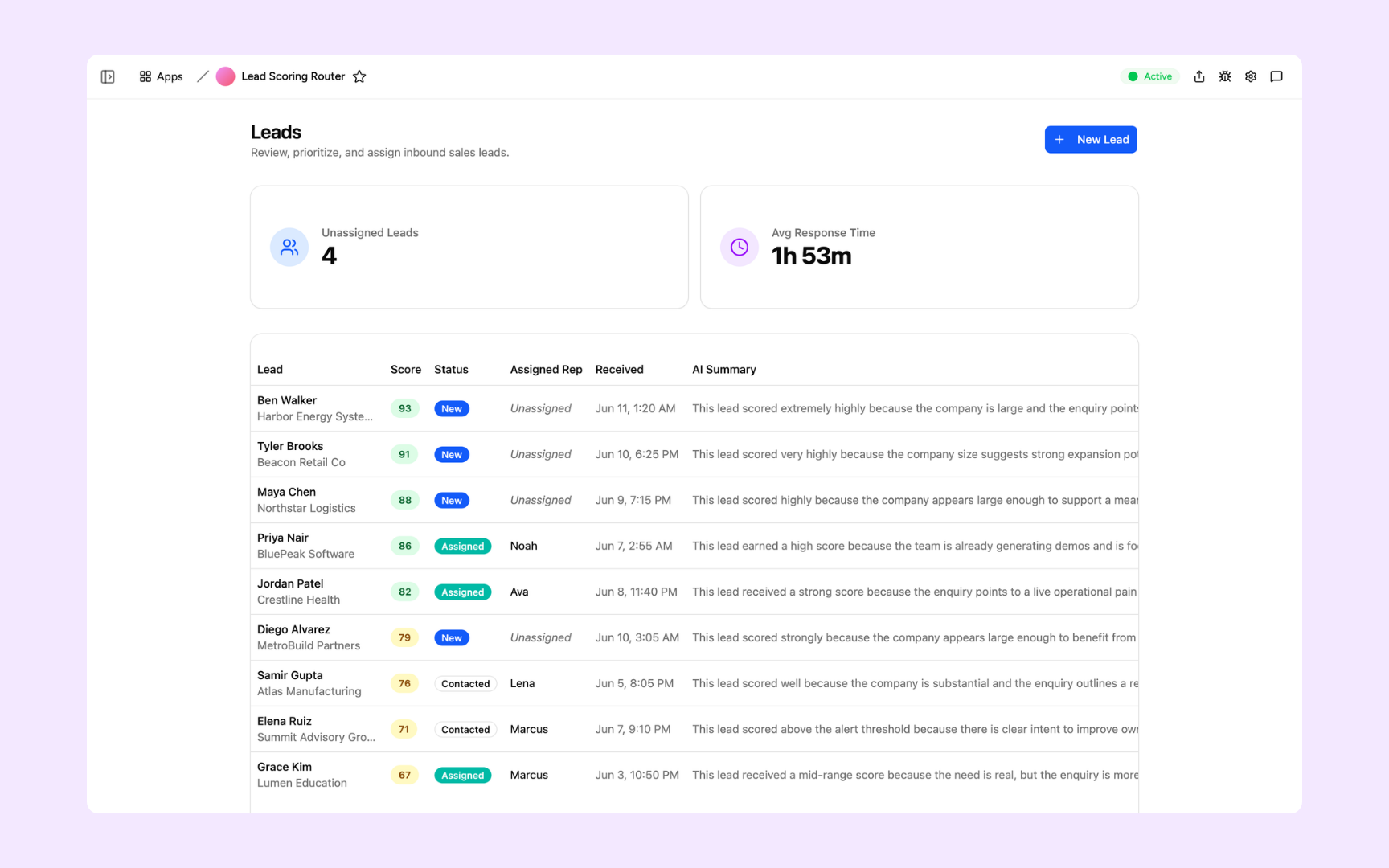
Prioritise inbound leads, review AI summaries, and assign the next step.
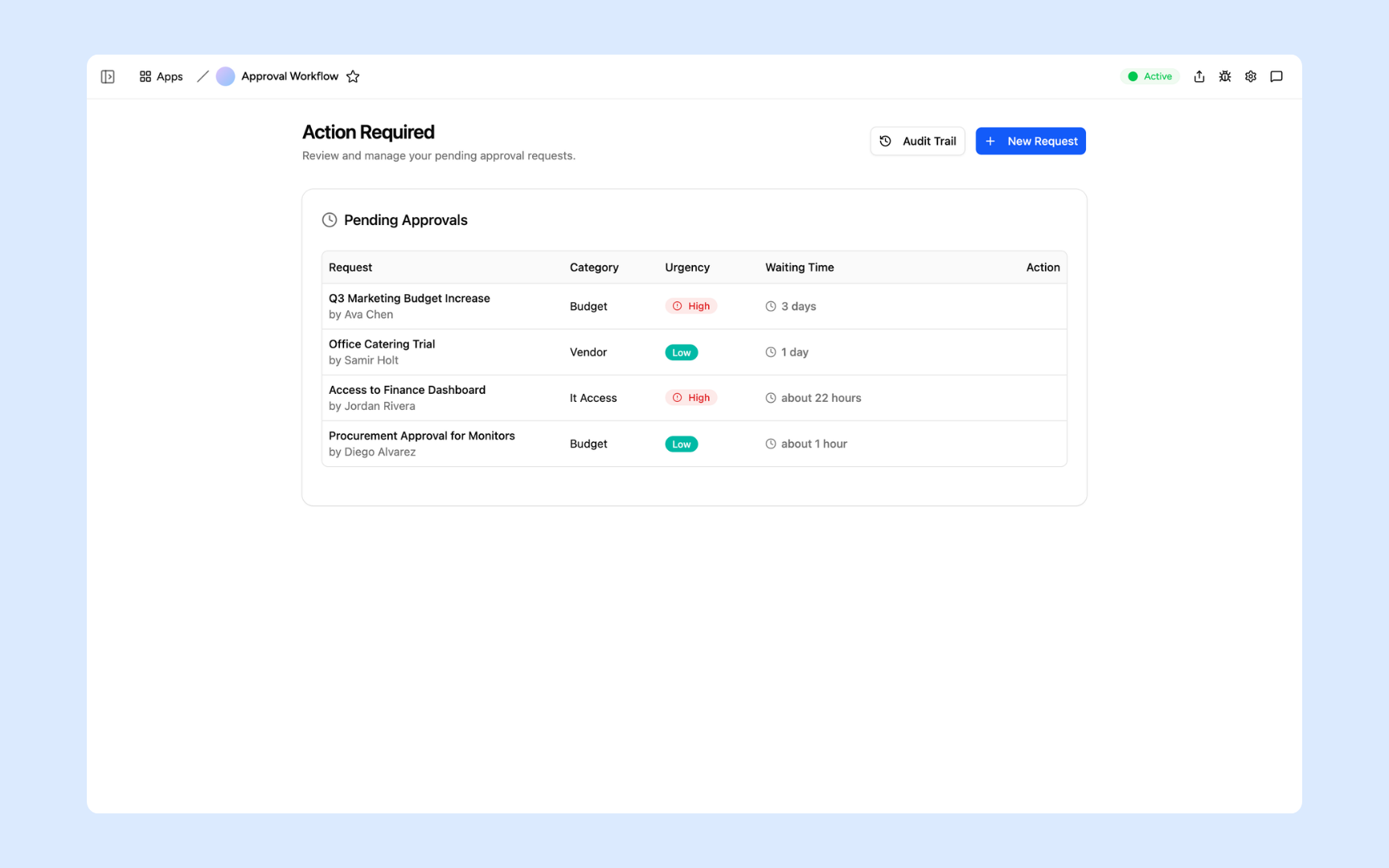
Bring pending requests, priorities, and approval decisions into one view.

Manage source articles, generated content, and review status in one library.
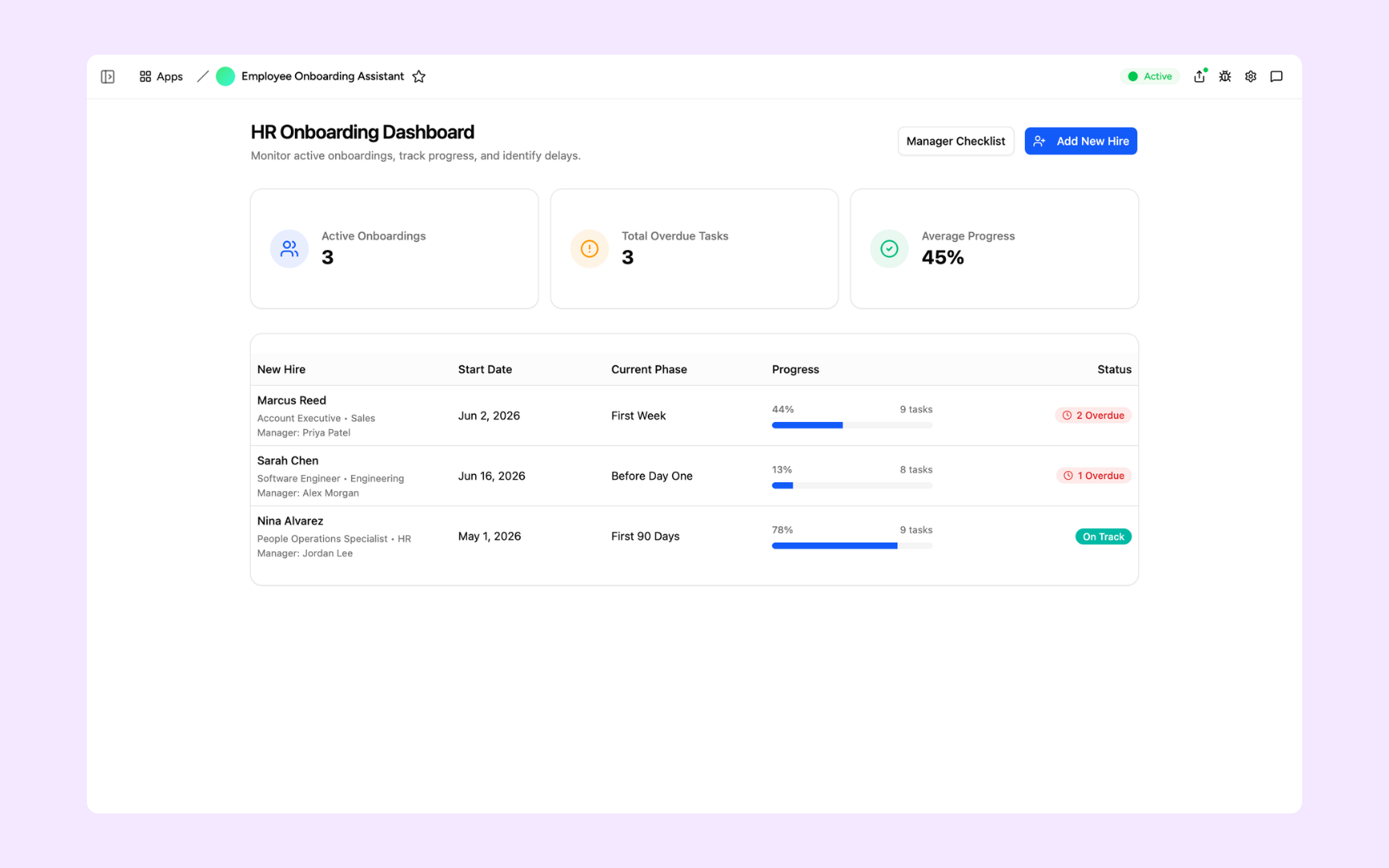
Track new hires, onboarding phases, and the tasks that need attention.
More about the apps you can build and the work you can do together.
Describe the work you want to manage and what your team needs to see and do. Appaca can build a focused internal app with pages, shared data, and the actions the workflow needs. You can start with a new request or ask for an app around results your agent has already prepared. You do not need to write code to describe or refine the app.
Your app provides an interface for reviewing and updating workspace records. The agent can prepare information in those same tables, and you can select, edit, and act on it in the app. Bring the app into a conversation to ask the agent to continue the work or run an available app action.
Yes. Apps can use existing workspace data tables, including records prepared during a conversation. Several apps can use the same table, so you can build different interfaces around shared information. Describe which data the app should use when you ask Appaca to build it.
Yes. Ask for changes in conversation, such as adding a field, changing a view, or introducing an action. Appaca updates the existing app so you can keep refining the tool around the way your team works.
Yes. Apps can use built-in AI for text, image generation, transcription, and speech, as well as supported workspace connectors for business services. Built-in AI does not require separate provider API keys. Available actions depend on the capability and the services connected to your workspace.
Yes. Workspace routines can run an app function on a schedule. Ask for the action your app needs, then set up its recurring instructions in a routine through workspace chat or the Routines page. The routine can do the recurring work while the app gives your team a place to review and use the results.
Bring your agent’s work and your team’s next steps together in Appaca.