
Connect Appaca to any service with a REST API
Your team's data is spread across dozens of services. Appaca connects to any REST API and builds the internal tools, automations, and AI that pull it all together in one place.
What breaks when your tools cannot talk to each other
Most teams have good data. The problem is it lives in five different systems with no easy way to bring it together for the people who need to act on it.
Data siloed across systems
Customer data is in the CRM. Usage data is in the product. Billing is somewhere else. Getting a complete picture means opening three tabs and stitching it together manually every time.
Live data is hard to bring into the workflow
Teams can see the data in the source system, but cannot easily use it in the forms, approvals, dashboards, and AI-assisted steps where the work actually happens.
Stale data from manual exports
Pulling data from an API into a spreadsheet or report means it is already out of date the moment you share it. Decisions get made on numbers that no longer reflect what is actually happening.
Build internal tools on top of any REST API
Appaca connects to your external APIs and uses live data as the foundation for the internal tools your team needs, with AI, automations, and proper access controls built in.
Internal apps built on live API data
Connect Appaca to any REST API and describe the tool you need. The Appaca agent builds a working internal app that fetches and displays your live external data, shaped around how your team uses it.




AI agents that work with external data
Create AI agents that fetch data from your APIs, summarise records, generate outputs, and trigger actions in connected systems, automatically and without manual steps.
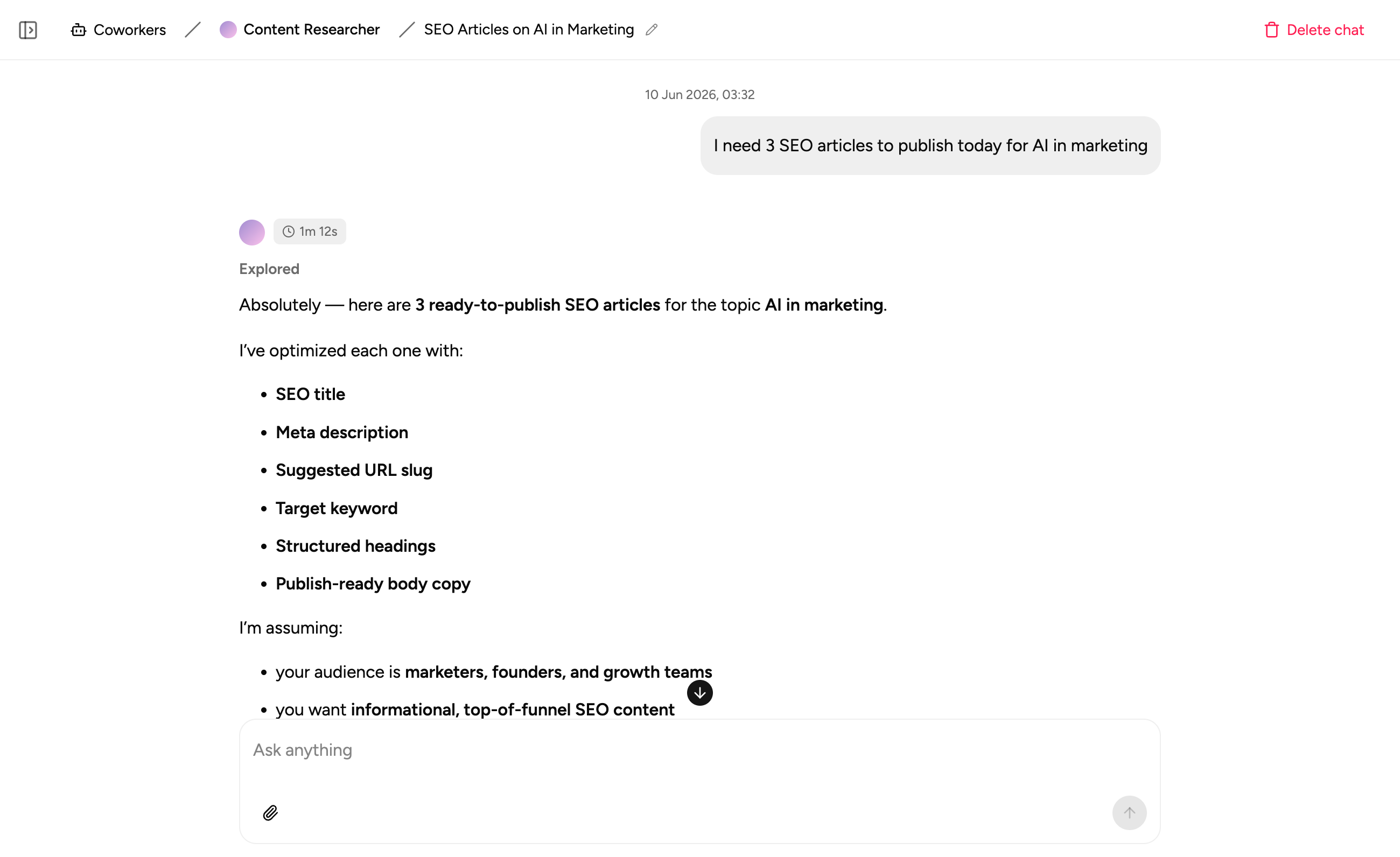
Docs and context alongside your tools
Store the SOPs and business logic that govern how your team should act on external data right inside the workspace. Everything in one place.
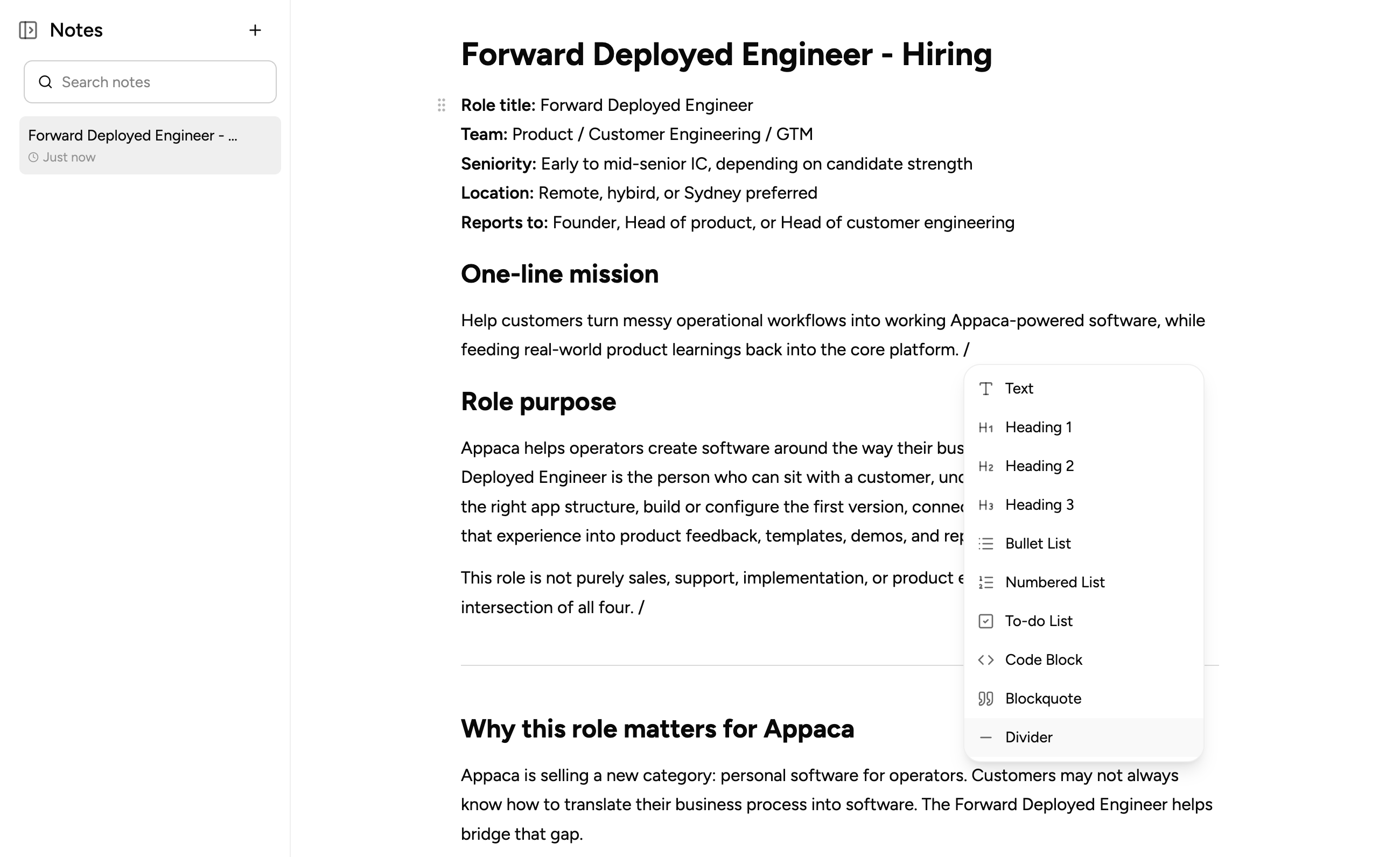
What teams build when they connect APIs to Appaca
Connect your external services and build the tools your team needs to act on live data, with proper workflows, AI, and access controls.
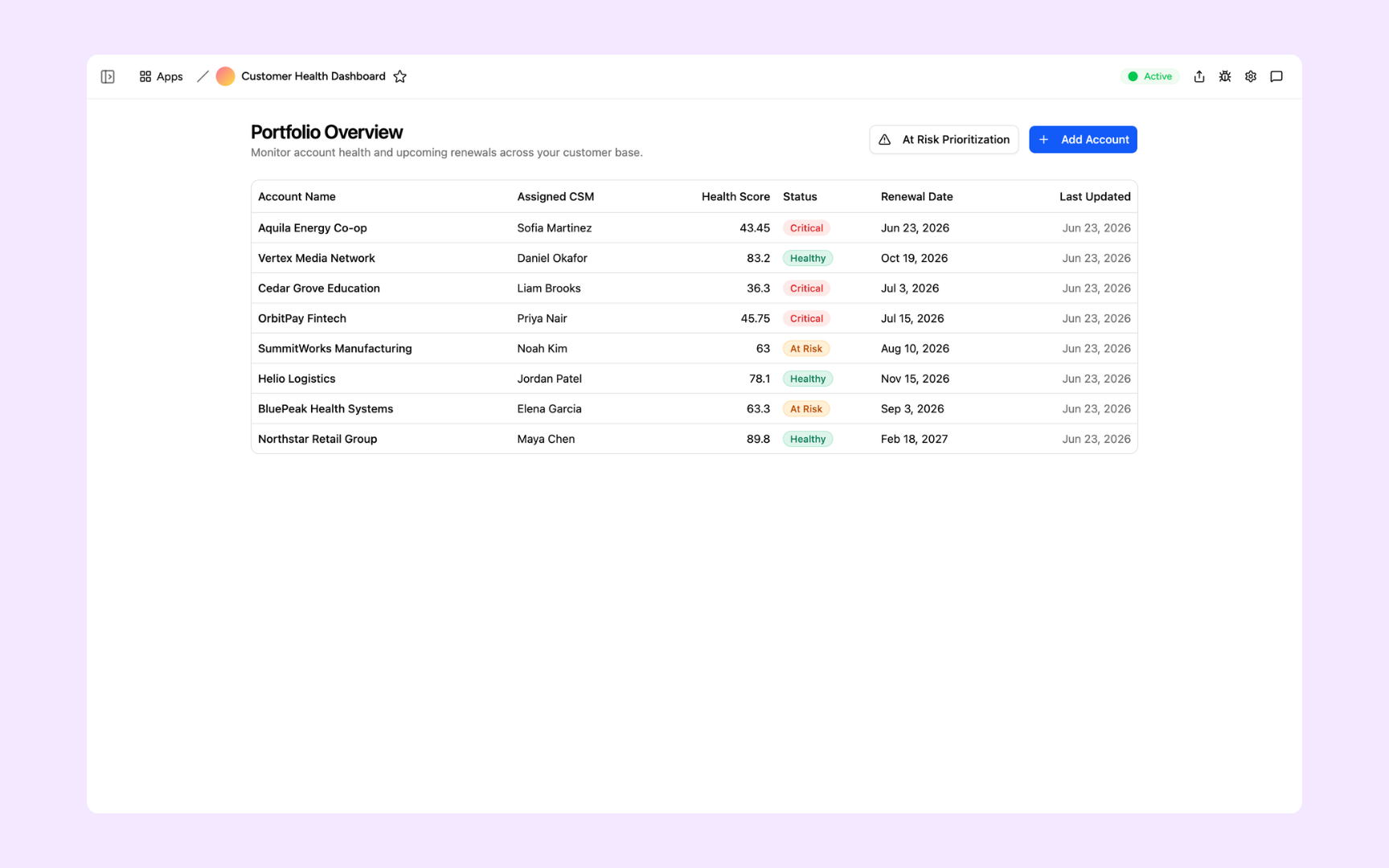
Employee Directory
Give everyone a searchable directory with profiles, org chart, and AI search - ask 'who handles payroll?' and find the right person instantly. Employees keep their own profiles current, so HR isn't the bottleneck.
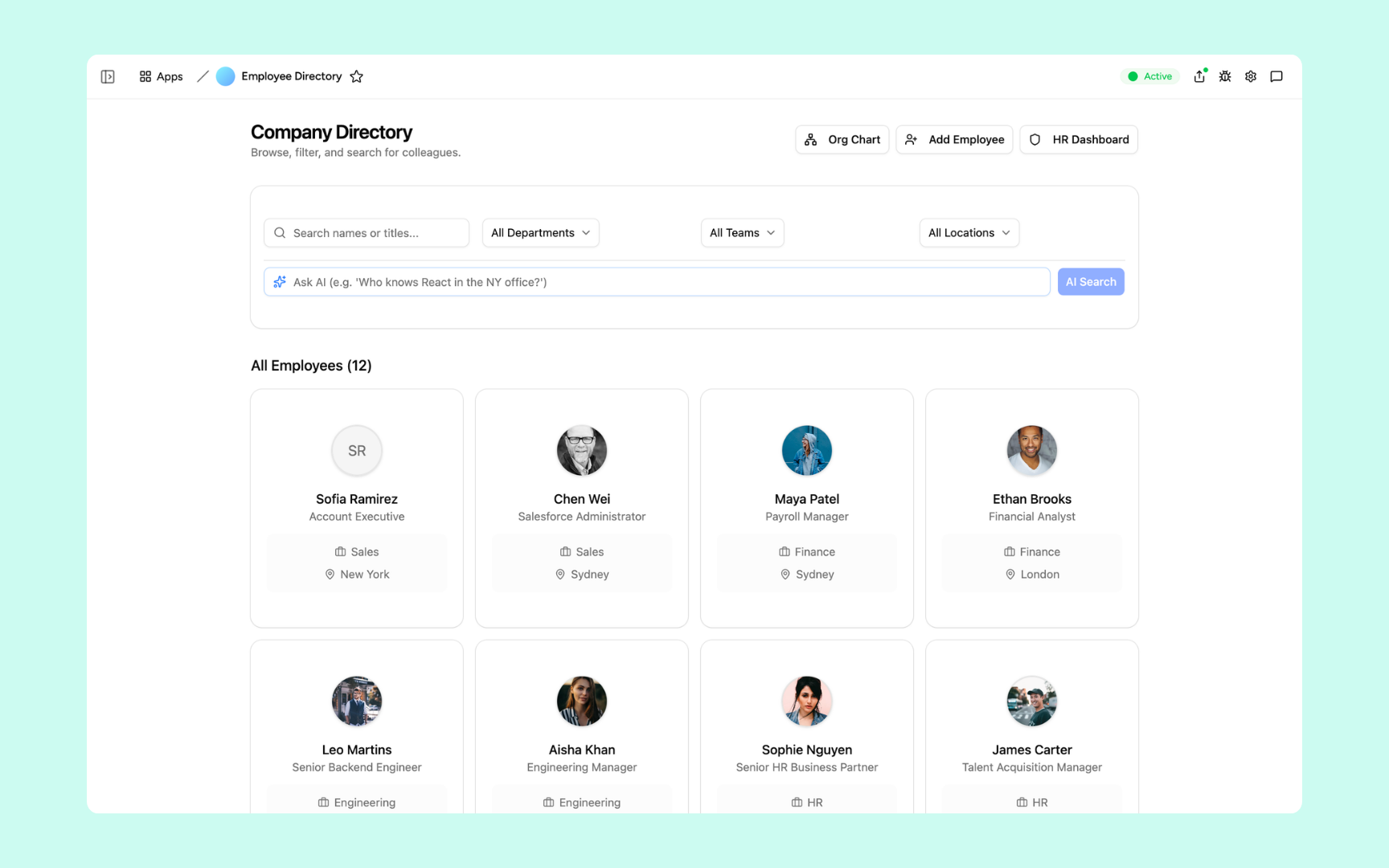
Customer Health Dashboard
Fetch usage, billing, and support data from your APIs and build a live customer health dashboard that flags at-risk accounts before they churn.
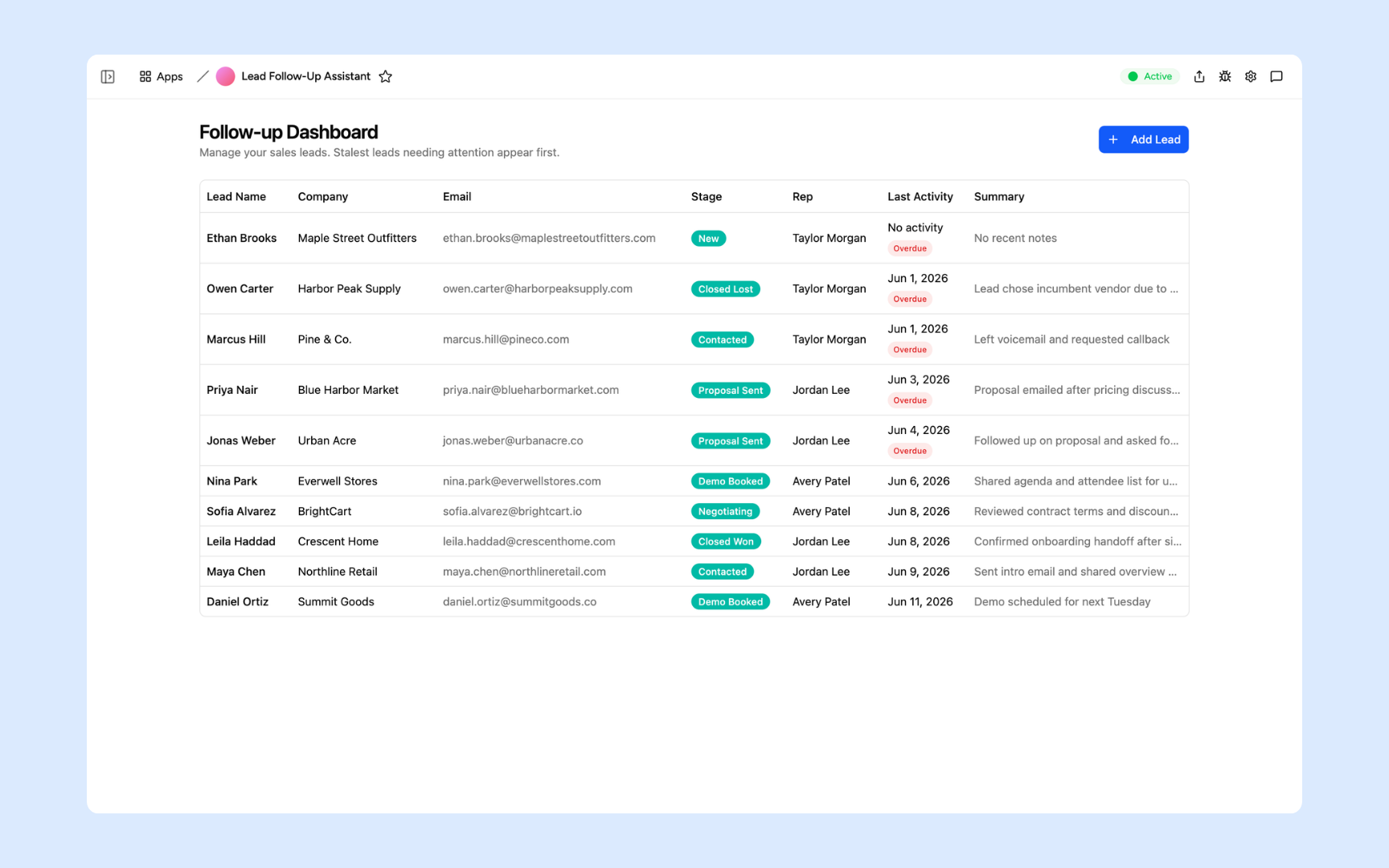
Lead Follow-Up Assistant
Connect to your CRM API and build an AI assistant that drafts personalised follow-ups from each lead's live data and pipeline stage, ready for your reps to send.
Every tool built on a platform your team can trust
Authentication, permissions, automations, and security are all built in. Your API data flows in and your team works from a tool with the right controls from day one.
Secure team sign-in
Every team member signs in with their own account. Tools built on external API data are only accessible to the people you invite.
Role-based permissions
Control who can view, edit, or manage each tool and each record pulled from your connected APIs.
Scheduler and automations
Schedule recurring API fetches, trigger alerts when data changes, and automate actions across connected systems without manual intervention.
Secure built-in database
Appaca can cache and store API data in a secure built-in database alongside records from other sources. Everything stays structured and searchable in one workspace.
Enterprise-grade security
Your API credentials are encrypted and stored securely. Only the team members you authorise can access the tools and data you configure.
Access from anywhere
Your tools live in the browser. Your team can access live API data from the office, home, or on the road without installs or VPN.
File and image storage
Attach files and documents to the records your tools pull from external APIs, all in one workspace.
Usage tracking
See how your team uses the tools you build on top of external APIs so you know what is working and where to improve.
Explore more ways to build with Appaca
See related use cases, other integrations, and how to build this yourself.
FAQs
You provide your API endpoint and authentication credentials in Appaca. Once connected, Appaca can fetch data from and send data to that API so the tools you build run on live external data without manual exports.
Any service with a REST API. Common examples include CRMs, payment processors, HR systems, analytics platforms, and custom internal APIs. If the service exposes HTTP endpoints, Appaca can connect to it.
No. Appaca is designed for non-technical teams. You provide the endpoint and credentials and describe what you want to build. The Appaca agent handles the integration logic.
Yes. The tools you build in Appaca can send GET, POST, PUT, and PATCH requests to your connected APIs, so data flows in both directions as your team takes actions.
Yes. API keys and authentication tokens are stored securely and encrypted at rest. Your credentials are only used to make the requests your tools require and are never exposed to team members.
Build better tools on top of any REST API
Connect your external services to Appaca and give your team the internal tools and AI that run on live data from the systems they already depend on.
- 7-day trial
- No credit card
- Cancel anytime